In 2026, engineering a high margin desktop crypto hardware OEM solution requires superior hashboard design. Upgrading from electrolytic to solid-state capacitors ensures stable 1.5 TH/s to 12.0 TH/s outputs under constant 75°C thermal loads, eliminating dielectric leakage. Integrating robust overcurrent protection desktop miner PCB fuses directly prevents localized hardware failure and fire risks.
Solid-State vs. Electrolytic: 2026 Hashboard Design Realities
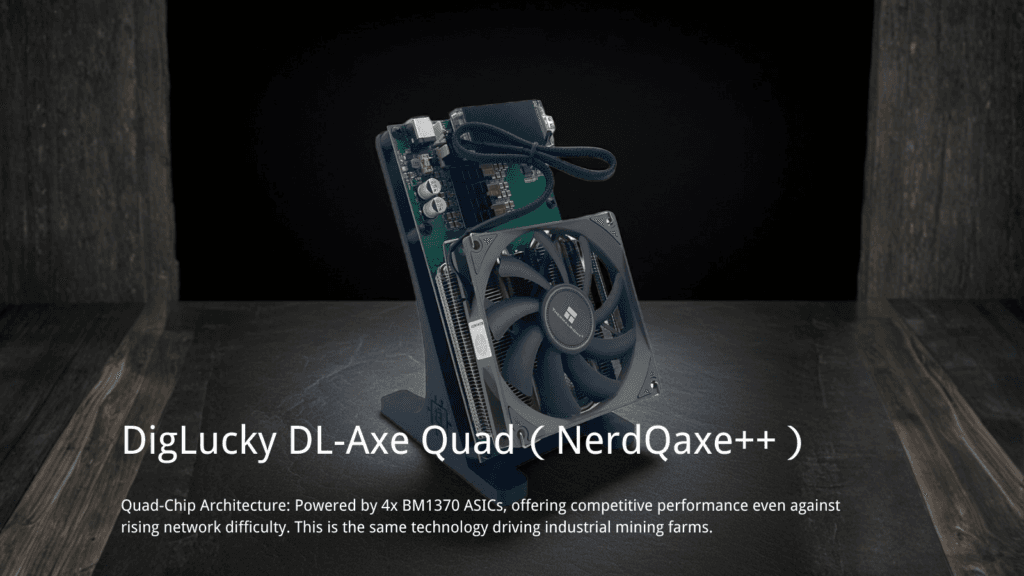
Desktop ASIC miners operate in continuous 24/7 environments. The primary failure point in sub-standard DIY clones is the power delivery network (PDN). When supplying power to demanding chips like the BM1370 or BM1368, the rapid switching frequencies generate significant ripple current.
Cheap liquid electrolytic capacitors boil under sustained 80°C+ loads. The liquid electrolyte expands, causing the aluminum casing to bulge, vent, or leak conductive fluid across the PCB. DigLucky implements solid-state conductive polymer capacitors across all OEM models. Solid-state capacitors tolerate significantly higher ripple currents and possess an Equivalent Series Resistance (ESR) approaching zero, ensuring the 1.2V core voltage remains perfectly flat.
Overcurrent protection is non-negotiable for retail safety. Generic boards often bridge power rails directly. If an ASIC die shorts, the board pulls infinite current, melting the copper planes. DigLucky integrates fast-acting physical fuses and TVS (Transient Voltage Suppression) diodes at the DC input jack. This isolates the fault immediately, protecting your brand reputation from catastrophic hardware meltdowns.
The Data Truth: DigLucky OEM vs. DIY Market Clones
We refuse to compromise on the Bill of Materials (BOM). Delivering high-margin hardware to global distributors means eliminating post-sale RMA nightmares.
| Engineering Vector | DigLucky Factory Standard | Generic DIY Clone Risk | Distributor Impact |
| Capacitor Tech | 100% Solid-State Conductive Polymer | Liquid Aluminum Electrolytic | High RMA rate due to bulging/leaking after 90 days. |
| Overcurrent Protection | Fast-blow inline fuses + TVS Diodes | None (Direct trace routing) | Localized PCB fires upon ASIC short circuit. |
| Thermal Interface | Automated precision thermal paste dispensing | Manual, uneven silicone pad application | ASIC throttling; BM1370 degradation. |
| Quality Assurance | Automated Optical Inspection (AOI) + 48-hour burn-in | Visual only; 10-minute hash check | Dead-on-arrival (DOA) units hitting end-users. |

Engineering SOP: Verifying Hashboard Power Integrity
Distributors conducting sample evaluations should follow this strictly numbered protocol to verify our PCB manufacturing tolerances.
- Initiate the Load Test: Power the unit using the factory-supplied PSU. Navigate to the AxeOS Dashboard and set the target frequency to maximum (e.g., 1200 MHz for the BM1370).
- Monitor the Voltage Drop: Probe the VDD_CORE test point on the PCB using a digital multimeter. The voltage must not deviate by more than ±0.05V from the target set in the firmware.
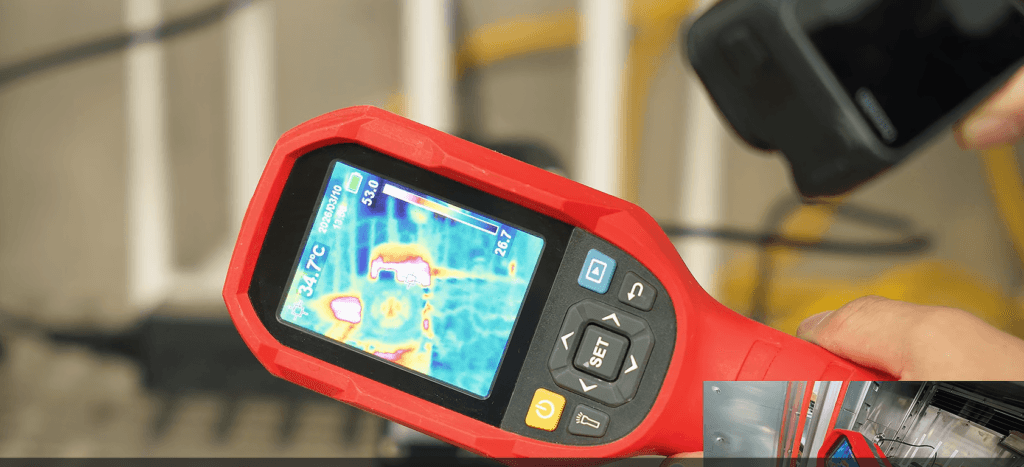
- Verify Thermal Distribution: Run the miner for 60 minutes. Use a FLIR thermal camera to inspect the capacitor banks. Solid-state capacitors should remain within 5°C of the ambient PCB temperature.
- Test the Overcurrent Circuit: Disconnect power. Set your multimeter to continuity mode. Probe across the main input fuse near the XT30 or XT60 connector. A solid beep confirms the physical hardware protection is intact and ready for deployment.
Pro-Level FAQ: Hardware Troubleshooting
Q: The AxeOS dashboard displays a continuous “Voltage Regulator Fault” under heavy mining load.
A: This indicates an unacceptable voltage droop. Measure the main 5V/12V DC input with a multimeter. If the voltage drops below the threshold, the power supply is failing to handle the amperage. DigLucky boards will automatically halt hashing to protect the TPS546 buck converter. Replace the PSU.
Q: The miner powers on, the screen boots, but the hashrate is locked at 0 GH/s.
A: Check the system logs in AxeOS. If you see repeated JOB_NOT_FOUND or stratum disconnects, verify the 2.4G WiFi stability. If the network is stable, probe the BM1368 reset pin (NRST). A lack of voltage here indicates the ESP32-S3 failed to initialize the ASIC sequence.
Q: The unit randomly reboots after 24 hours of stable operation.
A: This is typically a memory heap exhaustion issue, not a hardware capacitor fault. Access the AxeOS console and check the Free Heap Memory log prior to the crash. Ensure you are running the latest stable AxeOS firmware release compiled for your specific board version (e.g., Board 204).
Secure Your Wholesale OEM Manufacturing
Stop risking your retail reputation on generic, poorly assembled clones. DigLucky is your factory-direct partner in Shenzhen, bypassing retail markups and delivering industrial-grade hardware directly to your warehouse. We offer full OEM/ODM customization, including white-label branding, custom I/O configurations, and tailored thermal solutions.
We support secure T/T wire transfers and handle all global logistics, providing rigorous Full Carton specifications for bulk freight. Contact our engineering sales team today to secure your B2B allocation for Q3 2026.
Ready to Start Your Project?
Get a factory-direct quote for your B2B project, or shop our B2C store for the best prices.