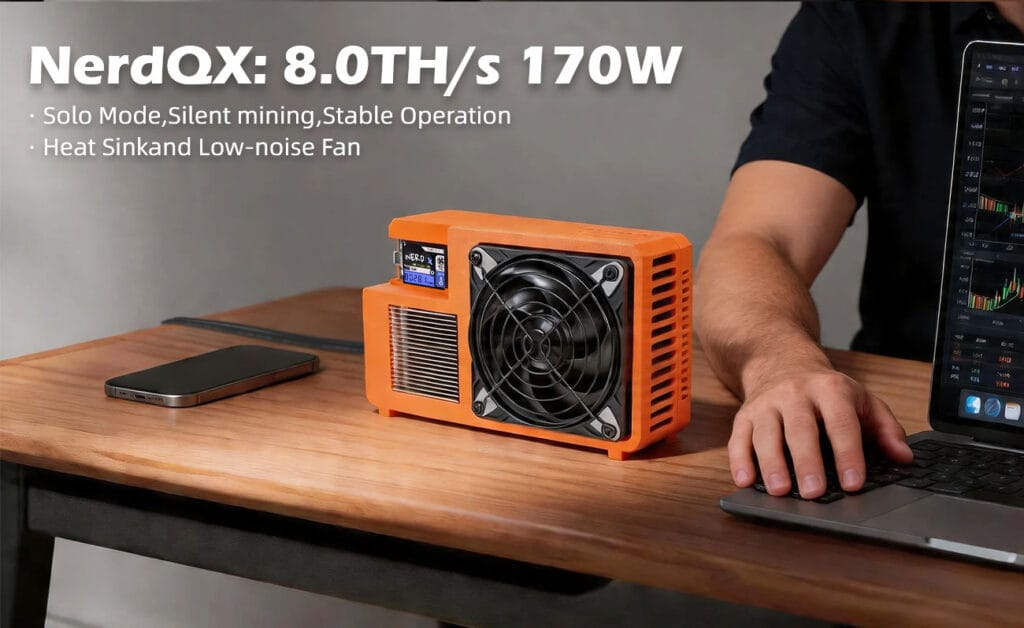
In 2026, the NerdQX desktop ASIC miner delivers a factory-certified 7.8 TH/s SHA-256 hashrate at 165W (±10%) using an external 12V XT60 power standard. This engineering guide details the optimal AxeOS Wi-Fi configuration, thermal dissipation limits (<35°C), and absolute maximum core voltage thresholds (1.15V) required to successfully deploy this hardware.
Technical Architecture & 2026 Hardware Specifications
Deploying desktop-class ASIC hardware requires a strict understanding of the underlying power and thermal architecture. The NerdQX operates at a highly efficient power envelope, utilizing an active heat-pipe thermal module paired with a smart PWM fan loop to maintain safe junction temperatures on the silicon.
As a factory-direct manufacturer, DigLucky implements rigorous 48-hour burn-in protocols and automated Surface Mount Technology (SMT) lines to ensure every unit meets the 7.8 TH/s baseline. Distributors and hardware engineers must be wary of aftermarket DIY clones. Generic variants often substitute premium heat pipes with cheap aluminum extrusions and utilize substandard soldering on the power delivery phases, resulting in rapid thermal throttling and catastrophic hardware failure under continuous load.
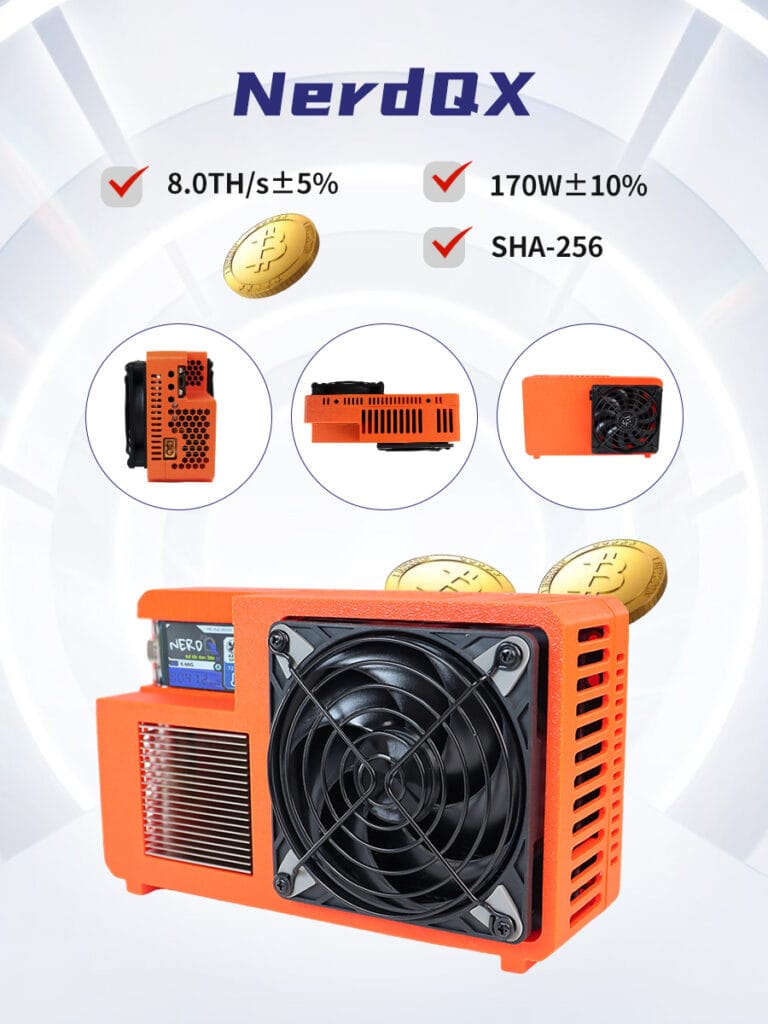
| Engineering Parameter | DigLucky Factory Standard (NerdQX) | Unverified DIY Clone Risks |
| Hashrate Tolerance | 7.8 TH/s ± 5% (Verified via 48-hr burn-in) | Highly erratic, frequently throttling below 6.0 TH/s |
| Power Delivery | 165W via industrial XT60 connector (12V) | DC barrel jacks prone to melting and fire hazards |
| Thermal Module | Soldered heat-pipe array + PID Smart PWM Fan | Extruded aluminum block with static-RPM fans |
| Operating Voltage | Core voltage strictly capped at 1.15V | Uncapped VRMs causing rapid silicon degradation |
| Network Interface | ESP32-S3 via optimized 2.4GHz trace antenna | Weak RF shielding leading to stratum timeouts |
Industrial-Grade Deployment SOP (7.8 TH/s Target)
Follow this standardized procedure to bring the NerdQX online. Deviating from these power and network sequencing steps can result in unstable hash rates or premature component fatigue.
- Initialize the XT60 Power Delivery System: Insert the included 250W Switching Power Supply lead into the XT60 terminal on the NerdQX before connecting the PSU to the AC wall mains. Engineering Rationale: Pre-mating the high-current DC terminals prevents electrical arcing and micro-pitting on the XT60 gold contacts, safely absorbing the initial 165W inrush current when AC power is applied.
- Establish the 2.4GHz AP Handshake: Apply AC power and monitor the device. The PWM fan will execute a brief maximum-RPM diagnostic spin. Using a mobile device or workstation, scan for the locally broadcast NerdQX_XXXX Wi-Fi access point and connect. Engineering Rationale: The onboard ESP32 microcontroller operates strictly on the 2.4GHz band (802.11 b/g/n) to maximize signal penetration through industrial racking and minimize RF interference. It cannot interface with 5GHz networks.
- Flash AxeOS Stratum Configurations: Navigate your browser to the local gateway at http://192.168.4.1. Enter your local 2.4GHz Wi-Fi credentials, followed by your target pool URL (SOLO, PPLNS, or PPS), port number, and wallet address. Click Save and Restart. Engineering Rationale: The stratum mining protocol requires a precise, low-latency TCP connection. Verifying syntax at this stage prevents the firmware from entering an endless reboot loop caused by unresolved DNS requests.
- Calibrate Core Voltage and Frequency Limiters: Once rebooted, access the live AxeOS tuning dashboard via the miner’s new local IP address. Verify that the Core Voltage (Core Vol) is securely set. You must NOT exceed the absolute maximum limit of 1.15V. Engineering Rationale: Pushing the ASIC core voltage beyond 1.15V exponentially accelerates gate-oxide breakdown, overloads the onboard power delivery phases, and will trigger an instantaneous hardware thermal shutdown, voiding the factory warranty.
Thermal Management for 165W Hashrate Operations in 2026
The NerdQX is engineered for 0–35°C ambient environments. The integration of copper heat pipes directly above the ASIC dies facilitates rapid thermal transfer to the fin stack. The firmware utilizes a proportional–integral–derivative (PID) controller to dynamically adjust the PWM fan speed based on real-time diode readings from the silicon.
To maintain the 7.8 TH/s output over a multi-year deployment, the airflow path must remain unobstructed. Placing the unit in an enclosed cabinet without active exhaust venting will cause ambient heat recycling. The intake temperature will quickly exceed the 35°C delta, forcing the AxeOS firmware to throttle the clock frequency to prevent a catastrophic thermal event.
Pro-Level FAQ Troubleshooting & System Diagnostics
Q: The PWM fan ramps to maximum RPM and emits high dBA noise immediately upon cold boot. Is this a hardware fault?
A: No. This is a factory-programmed diagnostic sequence. The AxeOS firmware forces a 100% PWM duty cycle to clear potential dust accumulation from the heatsink fins and to verify the fan’s tachometer feedback signal before handing control over to the dynamic thermal management loop.
Q: The system logs show frequent “stratum connection timeout” errors, and the device frequently disconnects despite a strong internet connection.
A: Isolate your network frequencies. The NerdQX requires a dedicated 2.4GHz channel. If your modern router utilizes “Smart Connect” or band-steering, it will forcefully attempt to push the ESP32 chip onto the 5GHz band, causing instantaneous connection drops. Bind the miner’s MAC address to a strictly 2.4GHz guest network, and remove physical sources of RF interference (e.g., microwave ovens, unshielded USB 3.0 hubs).
Q: Hashrate has degraded from 7.8 TH/s to roughly 6.5 TH/s after three months of continuous 24/7 operation. What is failing?
A: This is a symptom of thermal throttling, not hardware failure. Monitor the chip temperature via the AxeOS dashboard. If temperatures are elevating beyond baseline, power down the unit and use clean compressed air to clear particulate buildup from the air intake, heat pipe array, and exhaust vents to restore the factory cooling coefficient.
Q: The device unexpectedly shuts down when attempting to maximize the hash rate through the AxeOS dashboard.
A: You have exceeded the OCP (Over-Current Protection) threshold of the power adapter or the voltage limit of the silicon. Ensure your Core Vol setting is strictly under 1.15V. Values exceeding this parameter will trigger the 250W power supply’s fail-safe protection mechanisms to prevent VRM burnout.
Global B2B Wholesale & Custom OEM Manufacturing
DigLucky is not a retail reseller; we are the Shenzhen-based source factory engineering these architectures. For global hardware distributors, mining facility operators, and B2B clients, purchasing directly from our manufacturing floor eliminates intermediary markups and guarantees stringent quality control.
We offer comprehensive OEM/ODM customization for the NerdQX and our wider ASIC portfolio. Whether your deployment requires custom I/O configurations, branded AxeOS firmware compilation, specialized thermal compounds, or bespoke packaging for resale, our R&D team is equipped to execute. We support high-volume pallet shipping via global logistics partners and accept secure T/T wire transfers for corporate accounts. Contact our factory operations team today to secure your wholesale pricing matrix and lock in your production allocation.
Attachment: 《NerdQX 8T Product Electronic Manual》
Ready to Start Your Project?
Get a factory-direct quote for your B2B project, or shop our B2C store for the best prices.