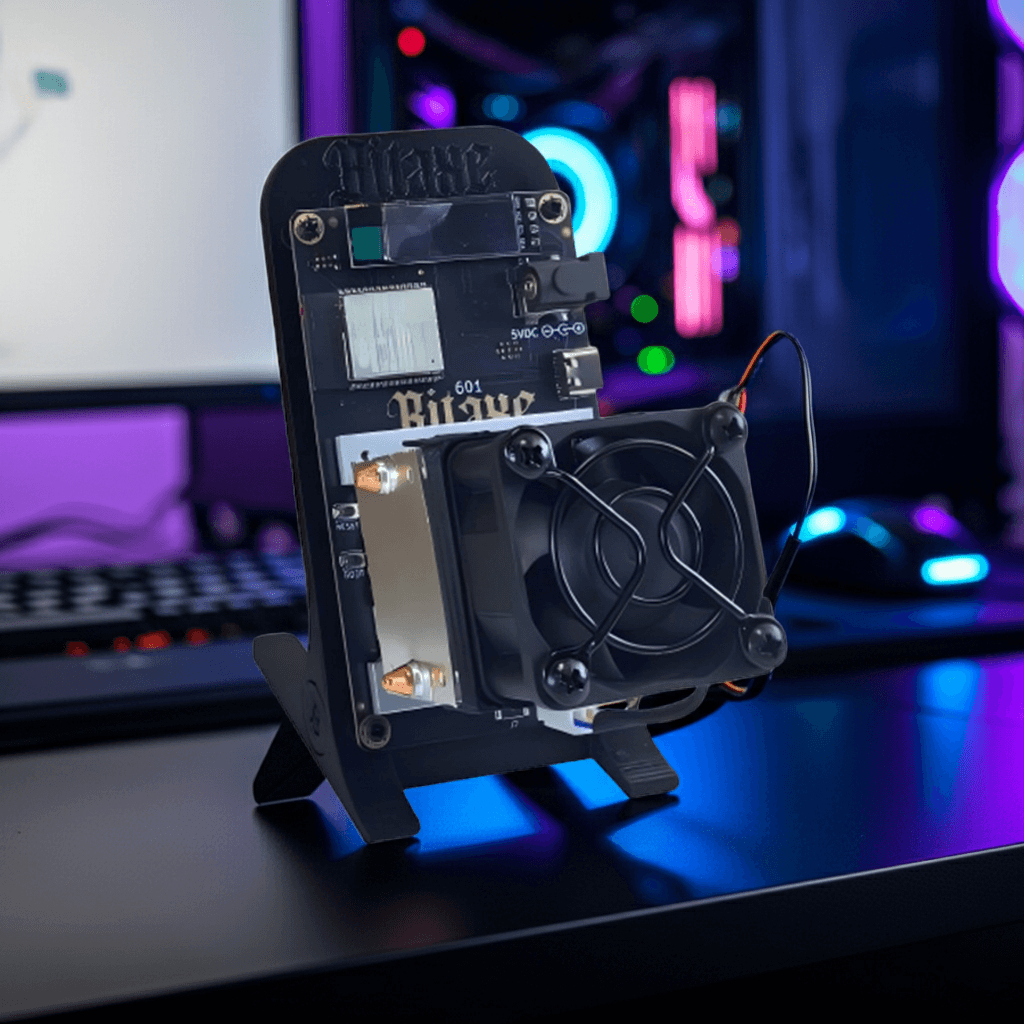
For years, the desktop solo mining ecosystem has been constrained by a single, critical flaw: network latency. Legacy open-source micro-miners rely almost exclusively on standard 2.4GHz ESP8266 or ESP32 Wi-Fi modules. While these chips are cost-effective, the 2.4GHz spectrum in modern households and offices is severely congested by routers, Bluetooth devices, and IoT peripherals. This electromagnetic interference (EMI) results in high packet loss and dropped Stratum connections.
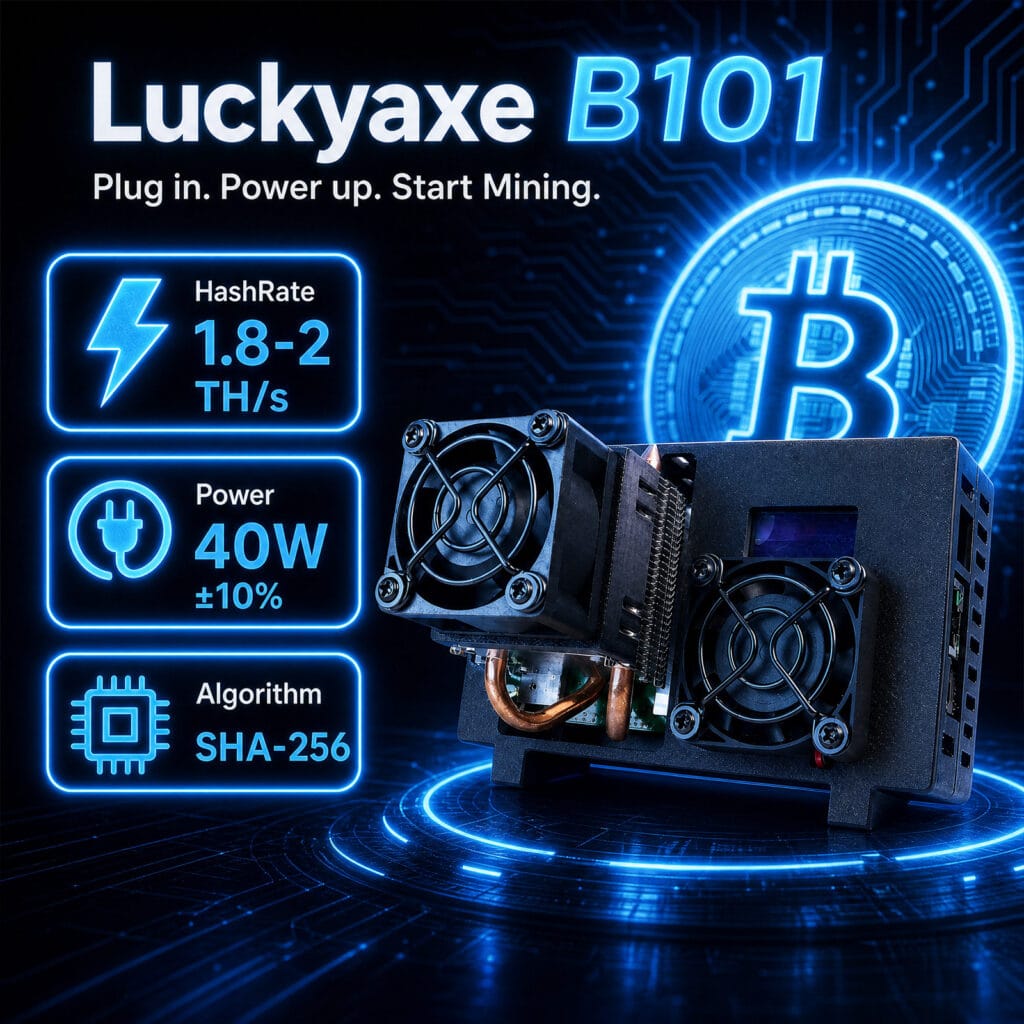
The Luckyaxe B101 represents a massive engineering leap by DigLucky. By introducing simultaneous dual-band 5G Wi-Fi and dedicated RJ45 Ethernet, alongside pushing the BM1370 ASIC silicon to its 2 TH/s limit, the B101 transforms the solo miner from a novelty gadget into a commercial-grade edge computing node.
Engineering Overview
Cryptographic hashing is useless if the submitted share fails to reach the mining pool due to network timeouts. When a traditional 2.4GHz solo miner experiences a latency spike, it submits “stale shares”—mathematical proofs that arrive too late to be validated.
The Luckyaxe B101 solves this by redesigning the network communication layer on the PCBA. Our engineering team integrated a high-throughput network controller capable of handling both 5GHz wireless frequencies (which offer significantly wider bandwidth and lower latency in line-of-sight environments) and a physical 100 Mbps RJ45 hardline. This network stack is electrically isolated from the high-current 1.30V Core Voltage pathways powering the BM1370 ASIC, preventing internal electrical noise from corrupting data packets.
Hardware Specifications
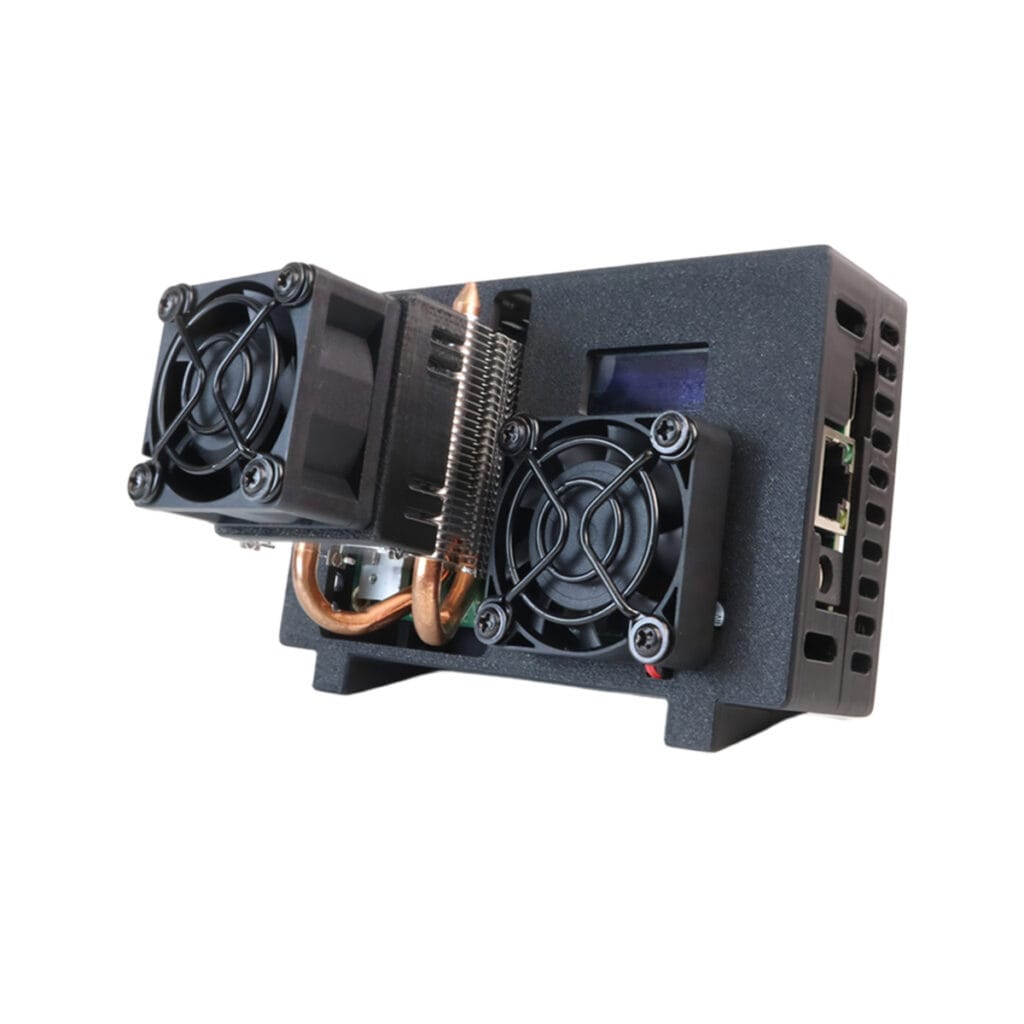
The following table demonstrates the technical delta between traditional 2.4G solo miners and the Luckyaxe B101 architecture.
| Technical Parameter | Legacy 2.4G Solo Miners | DigLucky Luckyaxe B101 |
| Network Architecture | 2.4GHz Wi-Fi Only | 5G / 2.4G Wi-Fi & RJ45 Ethernet |
| Stratum Connection Stability | Moderate (Prone to EMI drops) | Industrial-Grade (Zero packet loss via RJ45) |
| ASIC Silicon | BM1366 / Older MCU | Bitmain BM1370 (5nm) |
| Nominal Hashrate | 500 GH/s – 1.0 TH/s | 1.8 – 2.0 TH/s ±5% |
| Power Efficiency | ~30 J/TH | ~20 J/TH (40W total draw) |
| EMI Shielding | None | Shielded RJ45 Port & Isolated Antenna Trace |
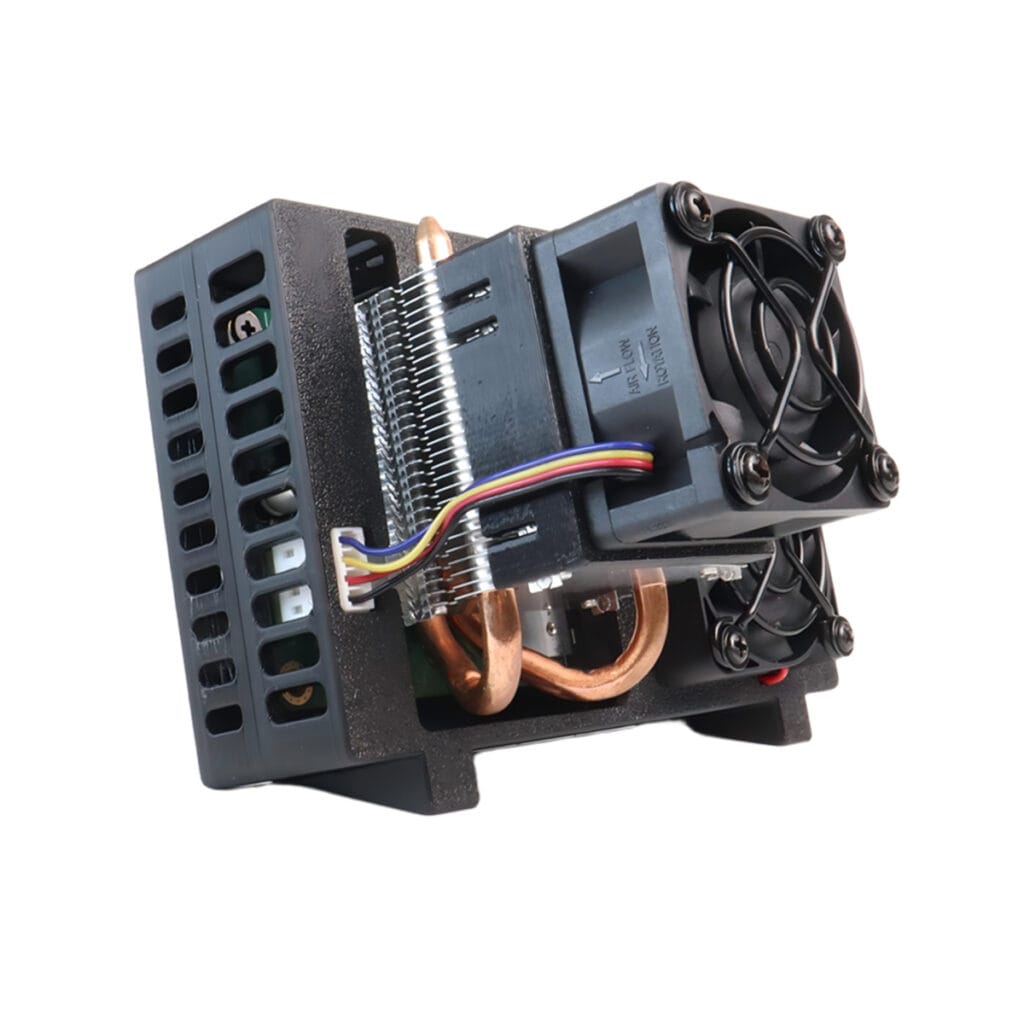
| Cooling Mode | Basic Fan | Active Air (Heat-pipe heatsink + PWM Smart Fan) |
Step-by-Step SOP
To maximize your block discovery probability, minimizing network latency is paramount. Here is the engineering standard operating procedure for provisioning the B101.
Phase 1: Physical Network Selection
- RJ45 Hardline (Recommended): For enterprise deployments, university STEM labs, or serious home miners, bypass Wi-Fi entirely. Connect a Cat5e/Cat6 cable directly from the router to the B101’s 100 Mbps RJ45 port.
- Engineering Rationale: Physical Ethernet eliminates RF interference, guaranteeing a <10ms ping to major Stratum V2 pools.
- 5GHz Wi-Fi (Secondary): If hardwiring is impossible, utilize the 5G band. Ensure the B101 is within direct line-of-sight of the router, as 5GHz radio waves degrade rapidly through concrete walls.
Phase 2: Gateway Configuration
- Power Initialization: Connect the 12V / 60W adapter. Avoid hot-plugging the DC jack while the adapter is plugged into the wall.
- Access the WebUI: Once the 0.91-inch screen illuminates, the device will prioritize the RJ45 connection automatically via DHCP. If using Wi-Fi, connect to the
Luckyaxe_****SSID. - Stratum Injection: Enter your pool credentials (e.g., public-pool.io) and assign a static IP address to the B101 if operating a massive multi-node fleet. Save and reboot.
Technical Validation
Once the miner initiates hashing, access your pool’s dashboard and the local B101 WebUI to validate network health.
- Stale Share Ratio: A healthy RJ45 or 5G connection should yield a stale share rate of <0.5%. If your stale rate exceeds 2%, you are experiencing severe packet loss.
- Hashrate Saturation: Validate that the BM1370 chip reaches thermal equilibrium (below 35°C ambient) and stabilizes between 1.8 and 2.0 TH/s at a 40W (±10%) draw.
Common Mistakes
- Using 2.4GHz in High-Density Apartments: Relying on the 2.4GHz band in an environment with dozens of overlapping neighbor Wi-Fi signals causes extreme RF collision.
- Failure Mode: The miner will continuously drop its connection to the Stratum pool, effectively reducing your real-world hashing uptime by 10-20%.
- Unshielded Ethernet Cables: Using cheap, unshielded (UTP) Ethernet cables draped across high-voltage power lines can introduce induction noise. Use shielded (STP) cables.
FAQ & Troubleshooting
Q: I plugged in the RJ45 cable, but the miner keeps defaulting to Wi-Fi. How do I fix this?
A: Check the local AxeOS network logs via the WebUI. If the Ethernet controller fails to receive a DHCP lease from your router, it falls back to the last known wireless SSID. Verify your Cat6 crimp with a multimeter or network tester, and ensure your router is actively assigning IPs.
Q: Why does my 5G Wi-Fi connection drop when I move the miner to another room?
A: 5GHz frequencies have poor wall-penetration capabilities compared to 2.4GHz. If the signal strength drops below -70 dBm, the B101’s network controller will struggle to maintain a stable Stratum handshake. Move the miner closer to the router or switch to RJ45.
Q: Is it safe to overclock the BM1370 beyond 2 TH/s on Ethernet?
A: No. Do not set the Core Vol above 1.30V. While the RJ45 connection handles data flawlessly, pushing the silicon voltage higher triggers the power adapter’s hardware protection, causing hard shutdowns.
Factory Insight
The integration of a Gigabit-capable networking stack on a micro-miner PCBA requires absolute precision. At the DigLucky Shenzhen facility, the Luckyaxe B101 undergoes strict manufacturing protocols:
- Automated SMT Assembly: The dual-band network IC and RJ45 shielding are placed using high-speed Surface-Mount Technology (SMT), ensuring millimeter-perfect alignment and flawless solder reflow to prevent cross-talk with the BM1370 ASIC data lanes.
- 48-Hour Network Burn-In: Every B101 unit must pass a rigorous 48-hour thermal and network load test in our QA lab. We simulate high-EMI environments to ensure the 5G antenna trace and RJ45 controller maintain 99.9% uptime before the hardware is packaged for global distribution.
DigLucky Factory Standard vs. Generic DIY Clone Risks
- DigLucky Factory Standard: Our PCBA utilizes dedicated electromagnetic interference (EMI) shielding over the Ethernet port and calibrated impedance matching for the 5G antenna. This results in zero packet loss and a stale share rate approaching 0%.
- Generic DIY Clone Risks: Unauthorized open-source clones typically rely on unshielded ESP32 dev boards with terrible PCB antenna geometry. When placed next to a noisy ASIC, the RF interference causes constant pool disconnects, destroying your solo mining probability.
B2B Procurement Section
For university STEM labs, corporate IT training centers, and regional hardware distributors, the transition from 2.4GHz to RJ45/5G is a strict procurement requirement. Managing a fleet of 50+ solo miners in a single facility via 2.4GHz Wi-Fi is a logistical nightmare due to IP collisions and bandwidth saturation. The Luckyaxe B101’s RJ45 capability allows B2B integrators to deploy large-scale, hardwired edge-node clusters with enterprise-grade stability. DigLucky offers scalable Master Carton volumes via standard DAP logistics direct from Shenzhen.
Final Recommendations
To maximize the power of the 2 TH/s BM1370 ASIC, you must treat your network connection with the same respect as your power supply. Always default to the RJ45 Ethernet port for permanent desktop deployments. If wireless is mandatory, configure your router to force the Luckyaxe B101 onto a dedicated 5GHz channel. Clean data pathways ensure every hash counts.
Ready to Start Your Project?
Get a factory-direct quote for your B2B project, or shop our B2C store for the best prices.