There is nothing more frustrating in the world of crypto mining than waking up to check your dashboard and seeing a flat line. Zero hash rate. Offline.
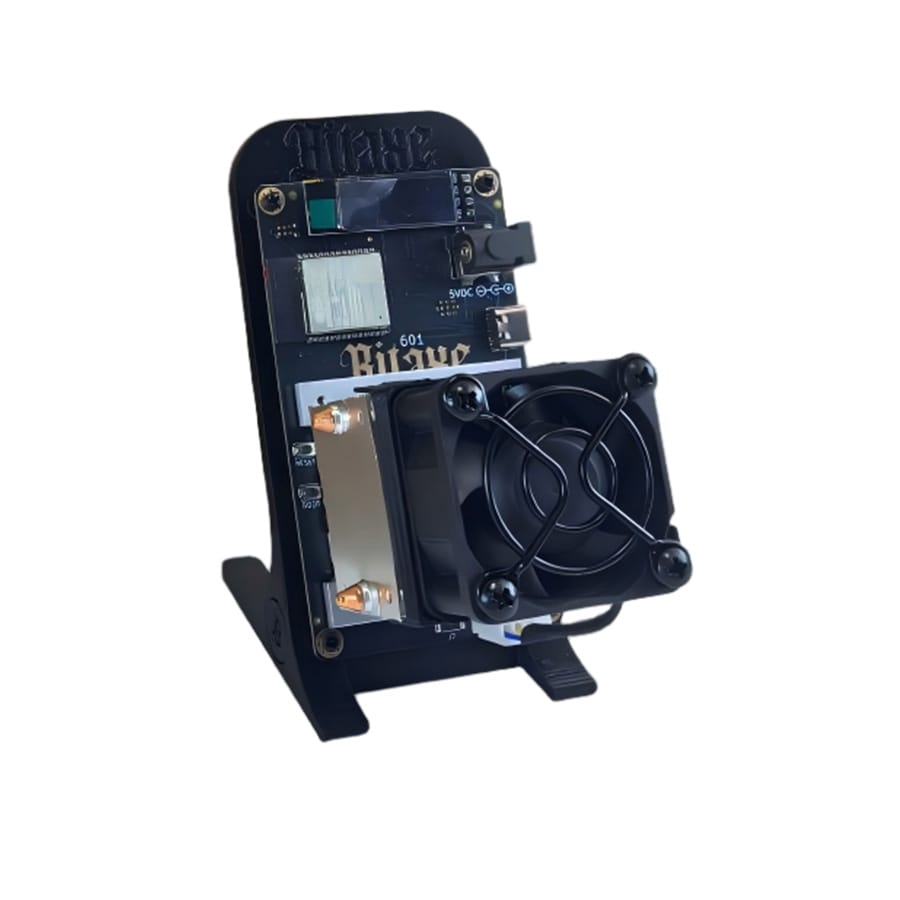
Whether you are running a Bitaxe, a NerdMiner, or our own NerdQaxe++, these devices are essentially compact computers pushing silicon to its absolute physical limit. When they stop talking to the network, it is rarely magic—it is physics or configuration.
After debugging thousands of units in the DigLucky lab, I have compiled the top 5 reasons your miner is offline, ranked by frequency.
1. The “Ghost” WiFi Connection (2.4GHz vs 5GHz)
In 99% of cases where a device fails to connect initially, the culprit is the router, not the miner.
Most modern open-source miners (like the NerdMiner v2 and Bitaxe) rely on the ESP32 microcontroller. The ESP32 is a brilliant chip, but it has a hard limitation: it only communicates on the 2.4GHz WiFi band,.
• The Problem: Modern mesh routers often combine 2.4GHz and 5GHz bands into a single SSID. If your router tries to force the miner onto the 5GHz band, the connection will fail or drop intermittently.
• The Fix: Create a dedicated “IoT Guest Network” on your router that is strictly 2.4GHz. Also, ensure your SSID and Password do not contain special characters (like emojis or spaces), as these can confuse the firmware.
2. Power Starvation (The PSU Issue)
If your miner connects to WiFi but constantly reboots (boot loops) or shows 0 hashrate, it is likely starving for power.
Mining requires consistent amperage. A standard laptop USB port or a cheap phone charger often fluctuates or puts the port to sleep to save energy.
• Bitaxe/NerdMiner: Ensure you are using a high-quality 5V/4A adapter. Do not power these from a PC USB port.
• NerdQaxe++ / LV07: These require 12V. If you see the screen flicker or the device restart when the fan spins up, your power supply unit (PSU) is failing to deliver the peak current required for the hashing chips.
3. The “Fat Finger” Configuration
Did you manually type your Stratum URL? A single typo here means you are hashing into the void.
Common configuration errors include:
• Protocol Errors: Do not include TCP:// or Stratum:// in the URL field unless the firmware specifically asks for it. Usually, you just need the address (e.g., public-pool.io).
• Port Mismatch: Ensure you are using the correct port for your difficulty. For example, Public Pool uses port 21496 for low-diff miners, whereas other pools might use 3333,.
• Wallet Format: Ensure you are using a legacy or SegWit address (starts with 1, 3, or bc1q). Some older firmwares struggle with Taproot (bc1p) addresses.
4. Thermal Throttling (Safety Cutoff)
Our firmware is designed to protect your hardware. If the ASIC chip temperature exceeds the safety threshold (typically 80°C), the AxeOS or NerdMiner firmware will cut power to the hashing boards to prevent permanent damage,.
• Check Your Fan: Is the fan spinning? If you have installed a custom fan, ensure the polarity isn’t reversed (blowing air away from the heatsink instead of into it).
• Thermal Paste: On older DIY units, the thermal paste may have dried out. Repasting the ASIC chip to the heatsink can drastically lower temps and restore stability.
5. Corrupted Firmware (The “White Screen”)
If your screen is blank, white, or frozen on the boot logo, your firmware may be corrupted. This often happens if power was lost during an automatic update.
• The Fix: You need to perform a “hard flash.”
1. Connect the device to a PC via a USB-C data cable.
2. Hold the BOOT button on the device.
3. Use an online flashing tool (like the one in our Knowledge Center) to “Erase Flash” first, then re-install the latest firmware,.
Conclusion: Tinker vs. Reliability
Troubleshooting is part of the fun for DIY enthusiasts. However, if your goal is consistent, set-and-forget mining, hardware quality matters.
At DigLucky, we pre-validate every NerdQaxe++ unit with industrial-grade stress testing to ensure the PSU, cooling, and firmware are perfectly matched before shipping.
Tired of debugging? Upgrade to the factory-tuned NerdQaxe++ 6T – The Stable Choice.
Ready to Start Your Project?
Get a factory-direct quote for your B2B project, or shop our B2C store for the best prices.