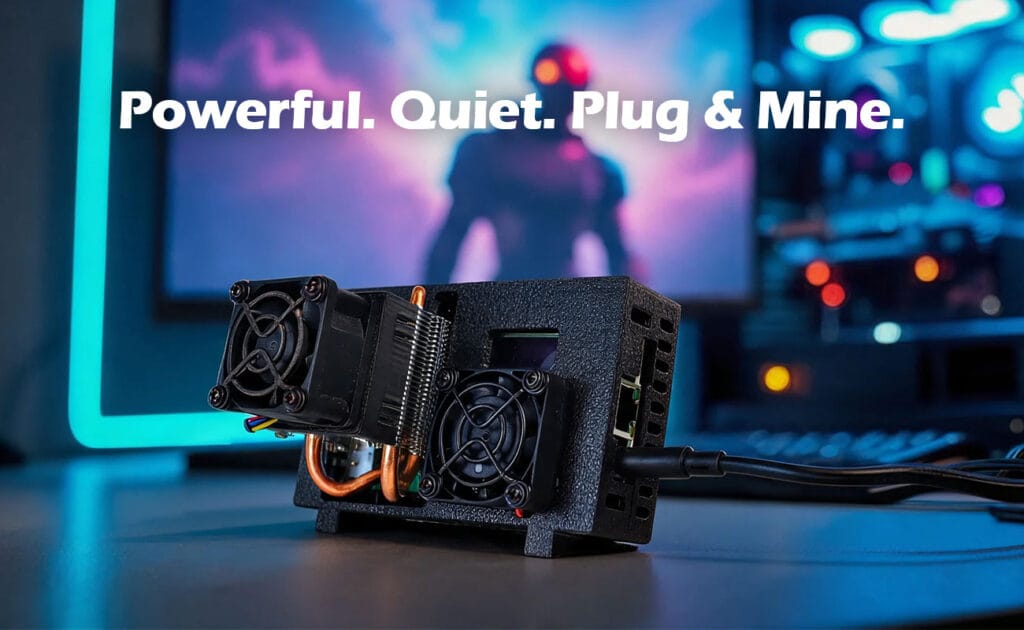
The Luckyaxe B101 is a high-performance, desktop-class SHA-256 ASIC miner engineered by DigLucky. Designed for Bitcoin enthusiasts, home miners, and small-scale validation environments, the B101 integrates an active air-cooling system utilizing a heat-pipe heatsink and a smart PWM fan. This architecture guarantees 24/7 stable operation, strict power efficiency, and commercial-grade acoustic compliance.
Engineering Overview
Unlike generic hobbyist builds, the B101 operates on a proprietary micro-power architecture. By leveraging a centralized Hash Board PCBA paired with an independent power chip heatsink, the unit isolates thermal generation from power management. This independent cooling structure reduces the temperature of power management chips, improving long-term operational stability. This thermal decoupling ensures that the ASIC hashing chips remain within their optimal 0–35°C operating window, maximizing cryptographic output without triggering thermal throttling.
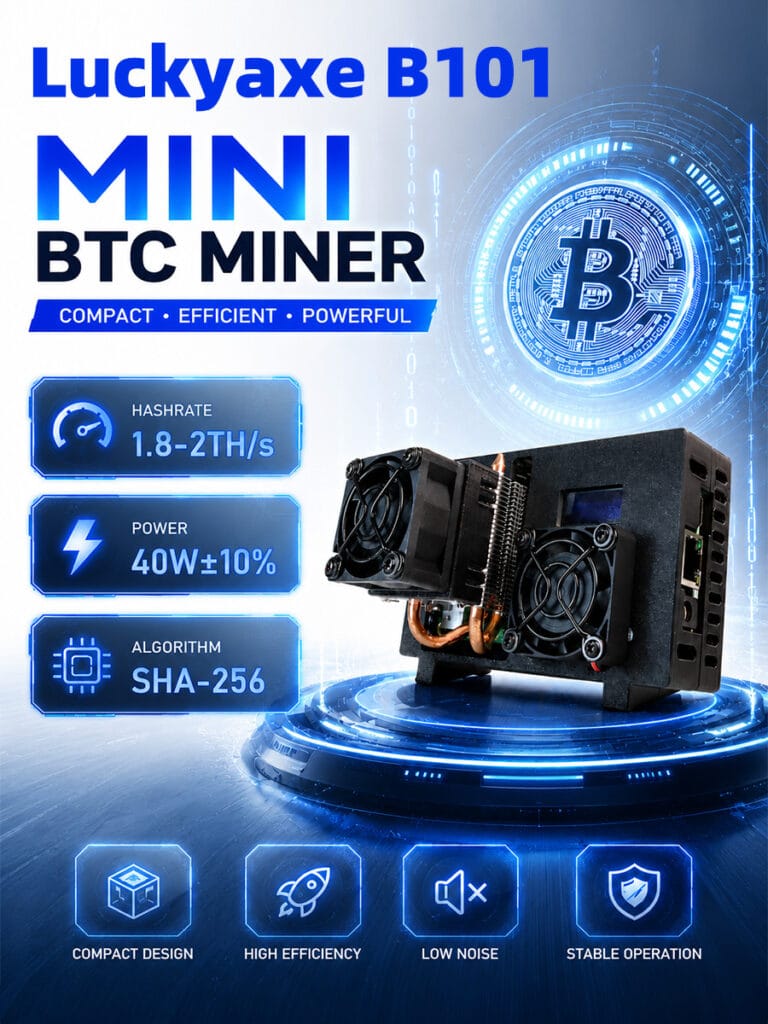
Hardware Specifications
| Technical Parameter | Specification Detail |
| Product Model | Luckyaxe B101 |
| Cryptographic Algorithm | SHA-256 |
| Nominal Hashrate | 1.8 – 2.0 TH/s |
| Power Consumption | 40W ±10% |
| Network Provisioning | WiFi 2.4G / 5G & RJ45 (100 Mbps) |
| Input Power Architecture | 12V DC Jack (60W Switching Power Supply Included) |
| Mining Modes | SOLO / PPLNS / PPS |
| Operating Temperature | 0°C – 35°C |
| Acoustic Profile | Typical < 40 dB (Active Air Cooling) |
| Display Interface | 0.91-inch Screen |
Step-by-Step SOP
Phase 1: Physical Deployment
- Positioning: Place the device on a stable and well-ventilated surface.
- Engineering Rationale: The active air cooling requires unobstructed airflow. Do not block the air intake or exhaust vents. Never use the device in a closed cabinet or enclosed space.
- Power Initialization: Use the included 60W switching power supply and securely connect the DC Jack power connector.
- Hardware Risk: Do not plug or unplug the DC Jack connector while the device is powered on to prevent electrical arcing and component degradation.
- Boot Sequence: Connect to AC power to start the device.
Phase 2: Network & Stratum Configuration
- Network Handshake: The device supports both hardwired RJ45 and wireless configurations (WiFi 2.4G/5G). If using WiFi, search for the local SSID
Luckyaxe_****on your mobile device or workstation. - Gateway Access: Network configuration is completed via the web management interface after power-on.
- Parameter Injection: Input your local WiFi credentials and your chosen stratum pool details (SOLO, PPLNS, or PPS).
Technical Validation
Upon successful configuration, monitor the 0.91-inch screen or the WebUI telemetry.
- Hashrate Validation: Ensure the output stabilizes (Hashrate ± 5% is within normal operating ranges).
- Power Draw: Validate that the power is approximately 40W (±10% is within normal ranges).
- Acoustics: The typical operating noise is below 40 dB once the ASIC chips reach thermal equilibrium.
Common Mistakes
- Voltage Overload (Core Vol): Do not set Core Vol above 1.30V.
- Failure Mode: Higher values may trigger the power adapter’s protection and cause shutdown or instability.
- Enclosed Spaces: Running the B101 in a sealed box restricts airflow.
- Failure Mode: This may cause overheating, throttling, or protective shutdown.
FAQ & Troubleshooting
Q: The fan noise is loud after startup. Is this normal? A: Yes. During startup or under high load, the PWM fan may increase speed to enhance cooling, which can temporarily increase noise. This is normal behavior.
Q: Is hashrate or power fluctuation normal? A: Yes. Hashrate ± 5% and power ±10% are within normal operating ranges. Power consumption varies depending on load, ambient temperature, and operating conditions.
Q: What should I do if the device cannot connect to the network or frequently disconnects? A: Please check the following: Ensure the WiFi network is 2.4G/5G & RJ45, check router signal strength, verify network stability, and remove potential sources of interference.
Q: Will the device resume mining automatically after a power outage? A: Yes. If network and mining configurations remain unchanged, the device will automatically resume operation after power is restored.
Q: What should I do if performance decreases after long-term use? A: Regularly check for dust buildup at air intake and exhaust vents and maintain proper ventilation.
Factory Insight
Every Luckyaxe B101 undergoes rigorous validation at our Shenzhen Hardware Manufacturing Center before global dispatch.
- Automated SMT Production: Hash Board PCBAs are assembled using precision Surface-Mount Technology, guaranteeing flawless solder joints for the SHA-256 ASIC chips.
- Burn-in & Thermal Validation: The PWM fan automatically adjusts speed based on temperature. Each unit is subjected to high-load thermal testing to ensure it reliably operates within the 0-35°C range.
DigLucky Factory Standard vs. Generic DIY Clone Risks
- DigLucky Factory Standard: Utilizes custom-tooled heat-pipe heatsinks designed to efficiently cool the core hashing chips. The independent cooling structure reduces the temperature of power management chips.
- Generic DIY Clone Risks: Unauthorized modifications often rely on substandard cooling. DigLucky provides no after-sales service for unauthorized modifications, as poor thermal interface applications lead to voltage leakage and premature failure.
B2B Procurement Section
For institutional STEM labs, regional resellers, and wholesale syndicates, DigLucky offers scalable factory-direct allocations of the Luckyaxe B101. Procuring directly from our operations bypasses broker markups and guarantees stable hardware supply. The device includes a 6-month warranty.
Final Recommendations
To guarantee multi-year operational stability, do not use the device in humid or high-temperature environments. Power off immediately if abnormal behavior occurs. Remember that mining profitability depends on network difficulty, pool rules, electricity costs, and other external factors; the manufacturer is not liable for pool access or network issues.
Ready to Start Your Project?
Get a factory-direct quote for your B2B project, or shop our B2C store for the best prices.