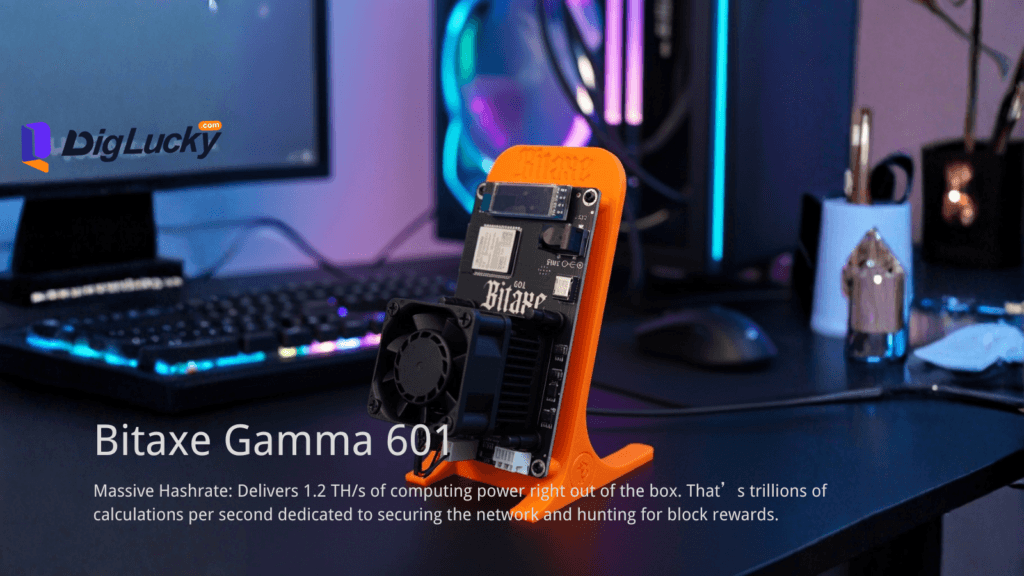
You didn’t buy a Bitaxe Gamma 601 to watch it idle at 0 GH/s or limp along at half speed. You bought it for the BM1370 ASIC architecture—the same high-performance silicon driving the industrial-grade Antminer S21 Pro—and you expect the advertised 1.2 TH/s hashrate.
If your AxeOS dashboard is showing erratic hashrates, thermal throttling, or connection drops, stop guessing. As the CTO of Lucky Miner, I’ve analyzed thousands of these units on our test bench. Here is the technical breakdown of why your Gamma might be underperforming and exactly how to fix it.
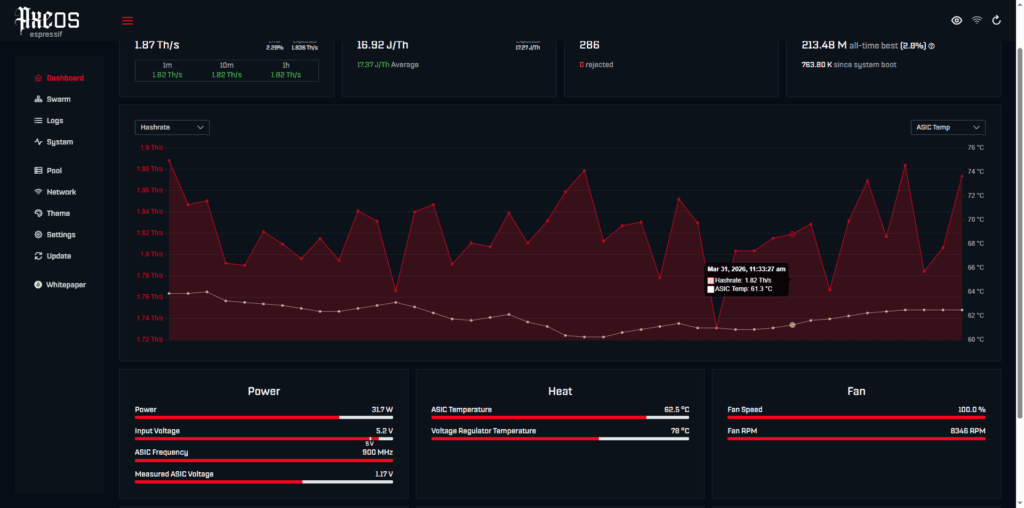
1. The Baseline: Know Your Telemetry
Before you start desoldering components or flashing firmware, verify your expectations against the hardware specifications. The Bitaxe Gamma 601 is a significant leap over the previous Ultra (BM1366) models, but it requires specific conditions to thrive.
Target Specifications:
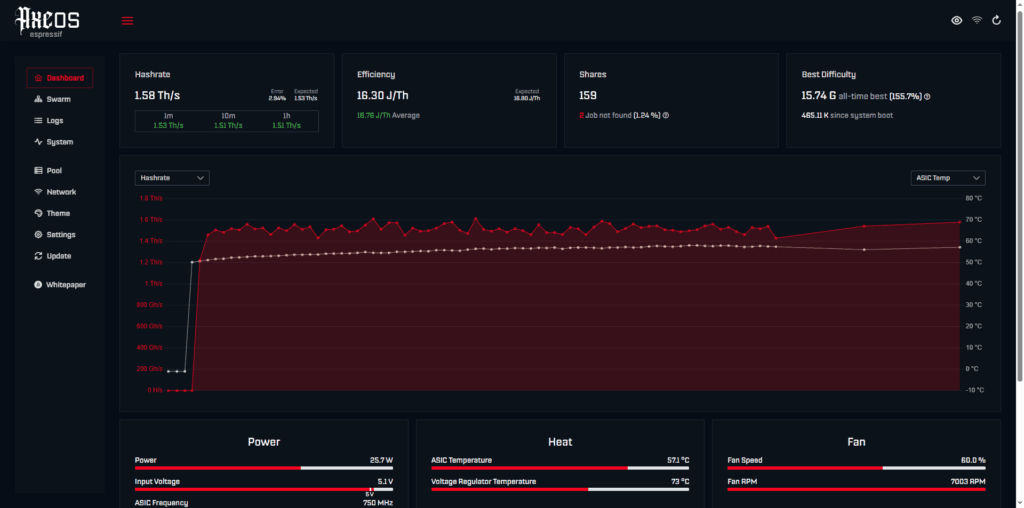
- Target Hashrate: 1.0 to 1.2 TH/s (Stock Tuning)
- Target Efficiency: ~15 J/TH
- Power Draw: ~20W to 30W (Frequency dependent)
Diagnostic Tip: If you are pulling 1.2 TH/s but burning 40W, you aren’t experiencing “low hashrate”—you are experiencing “low efficiency” due to poor voltage tuning. However, if your hashrate is consistently below 800 GH/s, proceed to the steps below.
2. Power Injection: The #1 Culprit for Instability
In 90% of support tickets regarding the Bitaxe Gamma 601, the issue isn’t the ASIC itself; it is the power delivery. While the BM1370 is efficient, it demands a stable current.
The Voltage Droop Phenomenon
The Gamma operates on 5V DC. Unlike 12V miners, there is zero room for voltage drop (droop). If your power supply dips to 4.8V under load, the ASIC will starve, causing hashrate fluctuation or a complete restart loop.
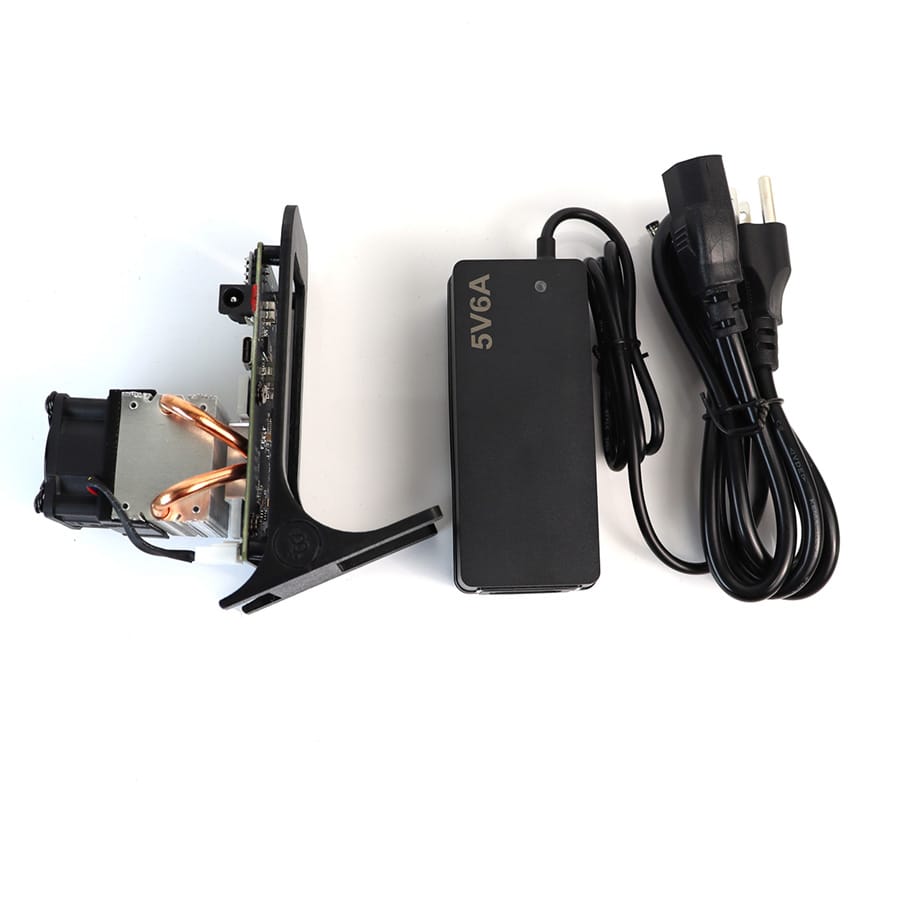
- The Fix: Always use the 5V/6A (30W) power supply certified by Lucky Miner/DigLucky. Do not attempt to power this device with a standard phone charger or a generic 5V/2A brick.
- The Connector: Ensure the 2.1/5.5mm barrel jack is seated firmly. If you are using a USB-C to Barrel adapter, ensure the cable gauge (AWG) is thick enough to handle 6 Amps without resistance heating.
3. Thermal Throttling & Fan Curves
The BM1370 chip is dense. High transistor density means localized heat hotspots. If the core temperature breaches safety thresholds, the firmware will aggressively throttle the frequency to save the chip, tanking your hashrate.
Temperature Zones:
- Safe Zone: 45°C – 65°C
- Throttle Zone: >70°C (Hashrate begins to drop)
- Kill Zone: >80°C (Device shuts down)
How to Fix Thermal Issues
If your hashrate drops significantly after 5 minutes of runtime:
- Check the Fan: Ensure the 40mm fan is spinning freely and isn’t obstructed. The Gamma typically uses a 5V fan with PWM control; verify it ramps up as temps rise.
- Repaste the ASIC: Mass manufacturing sometimes results in imperfect thermal paste application. Upgrading to a high-conductivity thermal paste or PTM7950 phase-change material can drop temps by 5-10°C, unlocking thermal headroom for higher frequencies.
- Heatsink Mounting: Ensure the retention screws are tight and providing even pressure on the ASIC die.
4. AxeOS Tuning: Unlocking the Frequency
The stock firmware settings are often conservative to ensure stability across all batches. To hit or exceed 1.2 TH/s, you may need to manually tune the Frequency (MHz) and Core Voltage (mV).
The ?oc Overclock Hack
If your AxeOS interface doesn’t show frequency/voltage fields, you are in “Simple Mode.” Here is how to unlock advanced tuning:
- Go to your miner’s IP address (e.g.,
http://192.168.1.xxx/#/settings). - Append
?octo the end of the URL:http://192.168.1.xxx/#/settings?oc. - Tuning Strategy: Increase Frequency in 25MHz steps. If the hashrate doesn’t rise linearly, bump the Voltage by 10-20mV.
- Warning: Watch the Power (W) metric closely. Do not exceed the rating of your PSU.
5. Network Latency and “Zero Hashrate”
If the screen shows “Mining” but your pool shows 0 TH/s, or if you see “Stratum connection interrupted,” this is likely a network layer issue.
- Router Firewalls: Some ASUS and TP-Link routers with “AiProtection” or “IoT Security” will flag Stratum mining packets as malware and block the port. Disable these features for the miner’s IP address.
- 2.4GHz Only: The ESP32-S3 microcontroller on the Gamma 601 only supports 2.4GHz WiFi. Ensure you aren’t forcing it onto a 5GHz SSID with a weak signal.
- Pool Settings: Ensure you aren’t using a Taproot address if the mining pool doesn’t support it. Stick to Legacy or SegWit addresses (starting with
bc1q) for maximum compatibility.
6. Hardware Integrity (Advanced)
If you have verified power, thermals, and network, and the device still boot-loops or shows “0 ASIC chips detected,” you may have a hardware fault.
- Check the Buck Regulator: The TPS40305 regulator steps down the 5V input. Failures here mean the ASIC gets no power.
- Output Capacitor: On some open-source board revisions, the large capacitor on the back can develop cold solder joints due to thermal expansion. Reflowing this connection can resolve intermittent power failures.
Need a Reliable Miner? Stop troubleshooting low-quality clones. Choose Lucky Miner for professionally manufactured, rigorously tested Bitaxe Gamma 601 units that perform out of the box.
Ready to Start Your Project?
Get a factory-direct quote for your B2B project, or shop our B2C store for the best prices.