Introduction: Why Start with the Luckyminer LV02
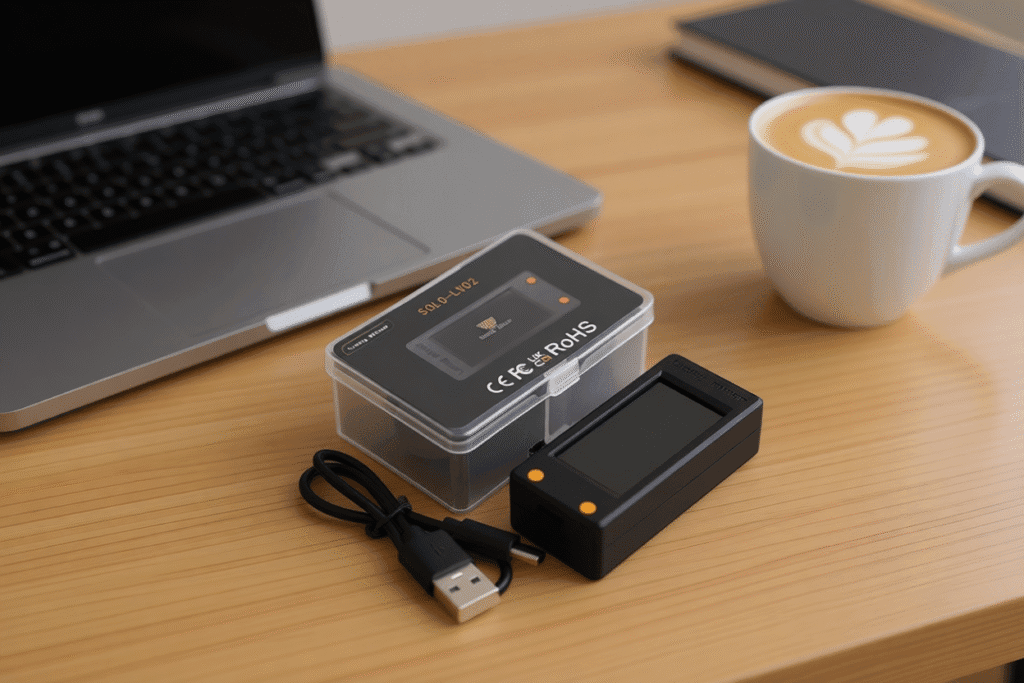
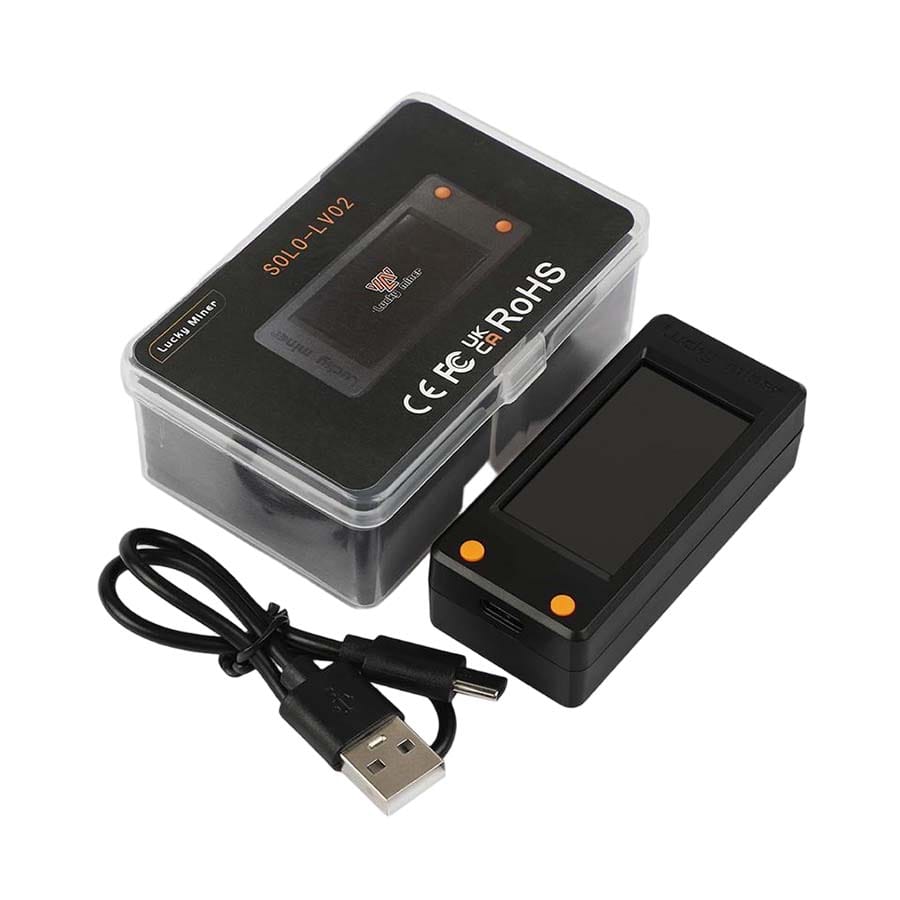
The Luckyminer LV02 ([Link: Luckyminer LV02 – Shop Now]) is an ultra-low-power SHA256 miner optimized for learning, prototyping, and verifiable experimentation. With a modest hashrate of ~250 KH/s and a 5W USB-powered architecture, the LV02 allows users to explore Bitcoin mining fundamentals without the cost or complexity of industrial ASICs.
Under the hood, LV02 employs a compact SHA256 ASIC array capable of roughly 250,000 hash attempts per second. While tiny compared to modern industrial hardware (e.g., DigLucky’s D96 at 9.6 TH/s / 160W), LV02’s transparency and local verifiability make it an ideal “entry-point device.”
This is why enthusiasts call these devices an Independent Validation Node:
- Every hash attempt is a mathematically auditable “ticket.”
- The winning probability (finding a hash below the target) is determined by the on-chain difficulty, not by vendor claims.
- All device activity—power draw, temperature, network traffic, Stratum shares—is directly measurable by the user.
Unlike cloud-mining scams or opaque “hashpower marketplaces,” LV02 exposes the full technical path: ASIC → Stratum → Pool → Blockchain.
Phase 1: Pre-Flight Check
1.1 Hardware Checklist
- Luckyminer LV02 unit (250 KH/s)
- 5V-1A Type-C power source (USB charger or power bank)
- 2.4 GHz WiFi–capable device (smartphone or laptop)
- Optional: USB power bank for portable operation
1.2 Why Only 2.4 GHz WiFi?
LV02 uses a low-power embedded WiFi SoC that supports 802.11b/g/n (2.4 GHz only).
Reasons:
- Better range and penetration for small antennas
- Lower energy requirements
- Stable captive-portal AP mode
- Common in lightweight IoT and miner-control microcontrollers
Technical Note: UART ↔ WiFi Bridge
Configuration works through an internal UART bridge:
- The WiFi SoC receives your pool configuration.
- Data is written to its flash-based config file.
- The SoC relays pool parameters to the ASIC controller via UART.
- ASIC initializes the Stratum session and begins hashing.
This design explains why the UI is minimal yet robust.
Phase 2: The 5-Minute Setup (Core Tutorial)
Step 1: Hardware Connection
- Power the LV02 using the USB Type-C port.
- The front display lights up; after 3–5 seconds, the device enters AP mode.
- Ensure the airflow path is unobstructed (≥3 cm clearance).
- If the display turns black, use the Boot button + Reset button sequence.
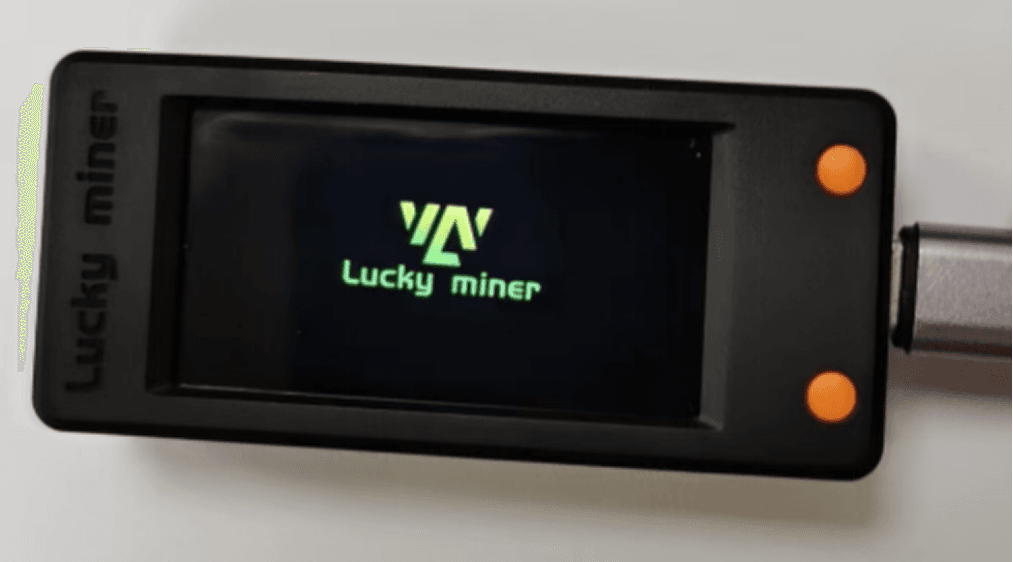
LV02 device on desk with USB-C power
Step 2: Network Configuration (AP Mode)
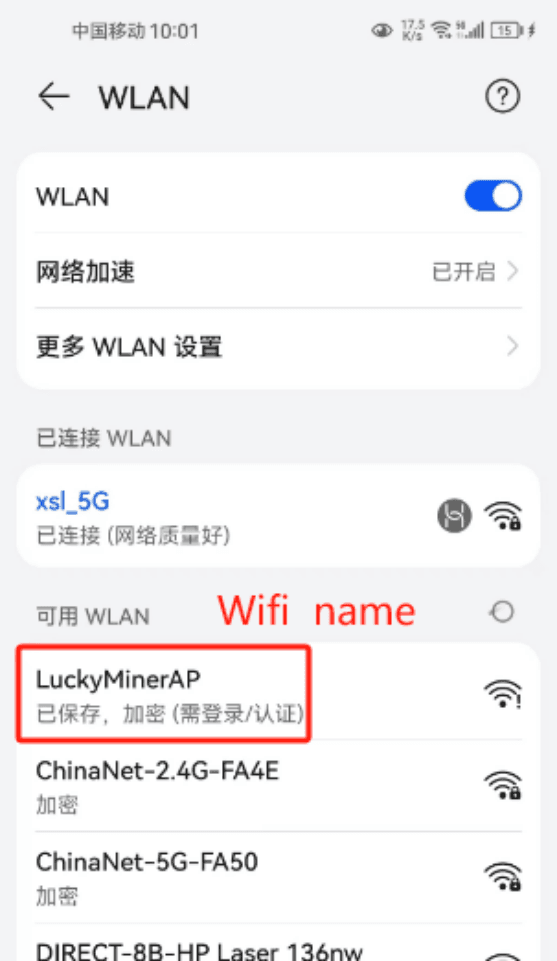
2.1 Connect to the LV02 hotspot
Look for:
SSID: Luckyminer AP
Password: MineYourCoins
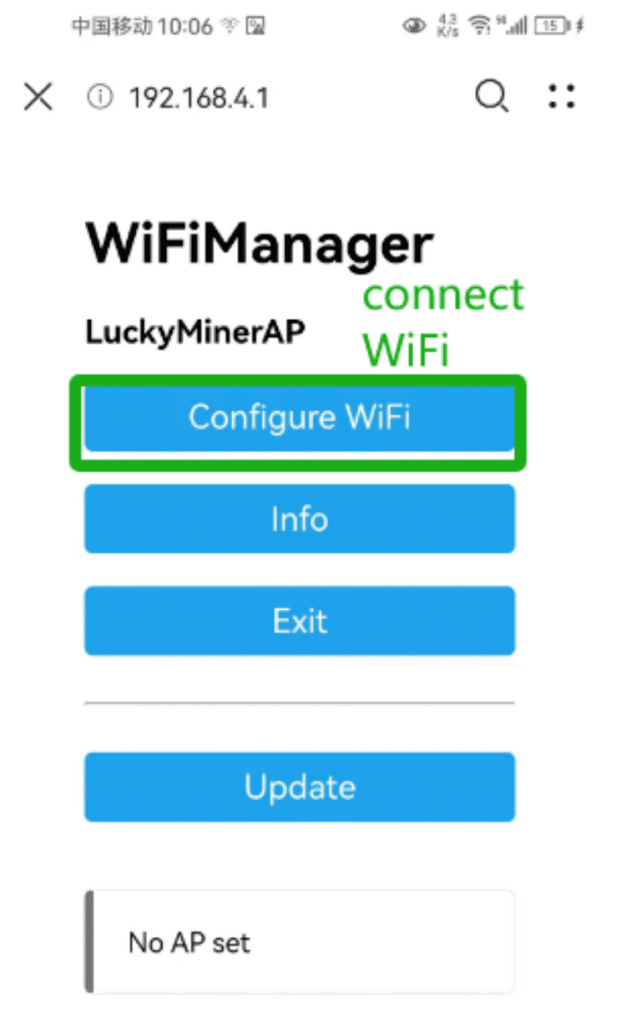
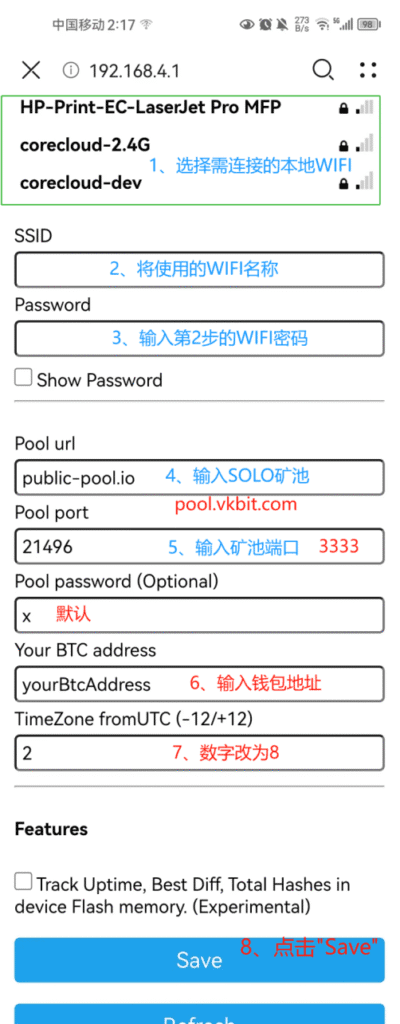
2.2 Configuration Portal
A captive portal opens automatically.
If not, visit:
http://192.168.4.1Tap Configure WiFi.
Step 3: Choose a Mining Pool
For 2025, DigLucky recommends:
- URL: pool.vkbit.com
- Port: 3333
Input the following:
Pool URL: pool.vkbit.com
Port: 3333
BTC Address (User): your BTC address
VKBit pool setup page
Stratum V1 vs Stratum V2
Mining protocol matters—even to beginners.
| Attribute | Stratum V1 (LV02) | Stratum V2 (High-end Miners) |
| Release | 2022 | 2025+ |
| Transport | Plain TCP | Encrypted + efficient |
| Pros | Simple, universally supported | Lower latency, fewer rejects |
| Typical Device | LV02, legacy USB miners | DigLucky D91 (9.6 TH/s) |
LV02 uses Stratum V1 for maximum SOLO compatibility.
Step 4: The “Hello World” Signal
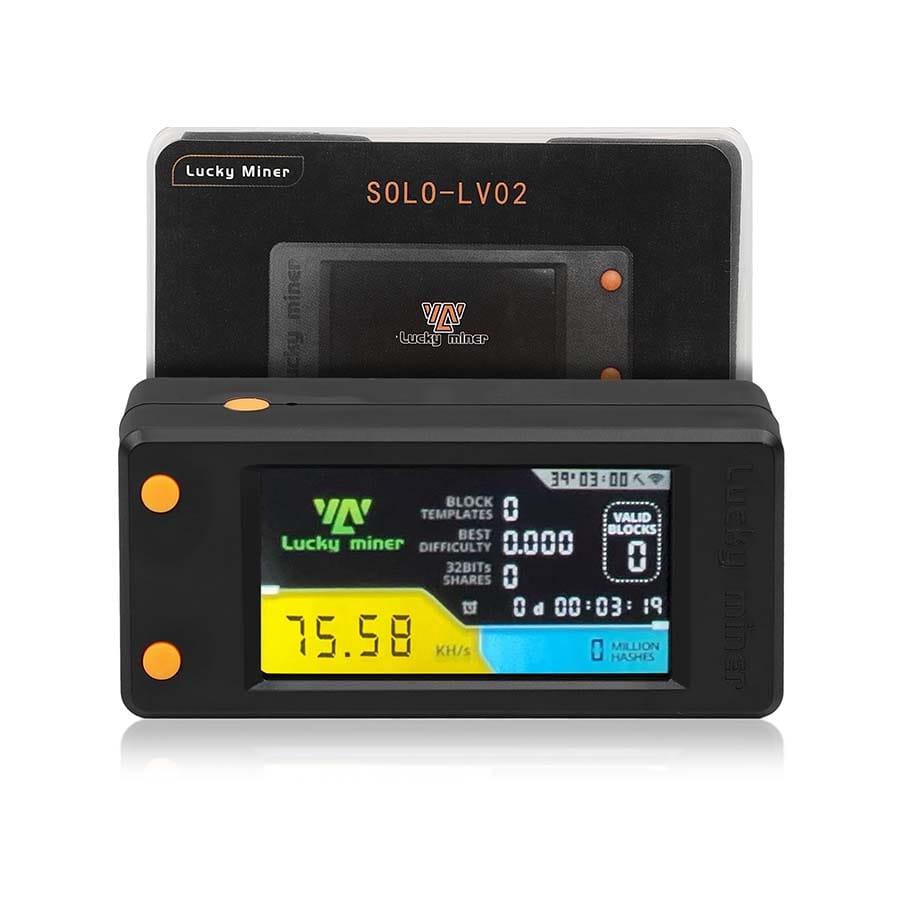
After saving the configuration, LV02 restarts automatically.
LED Indicator Meaning
- Solid Blue — Idle / Not connected
- Slow Blue Blink — WiFi connected, Stratum negotiation
- Fast Blue Blink — Mining & submitting shares
- Red Blink — Temperature issue or high rejection rate
Phase 3: Verification & Monitoring
Verification is the core value of SOLO mining hardware.
Your goal: confirm the full chain is functioning.
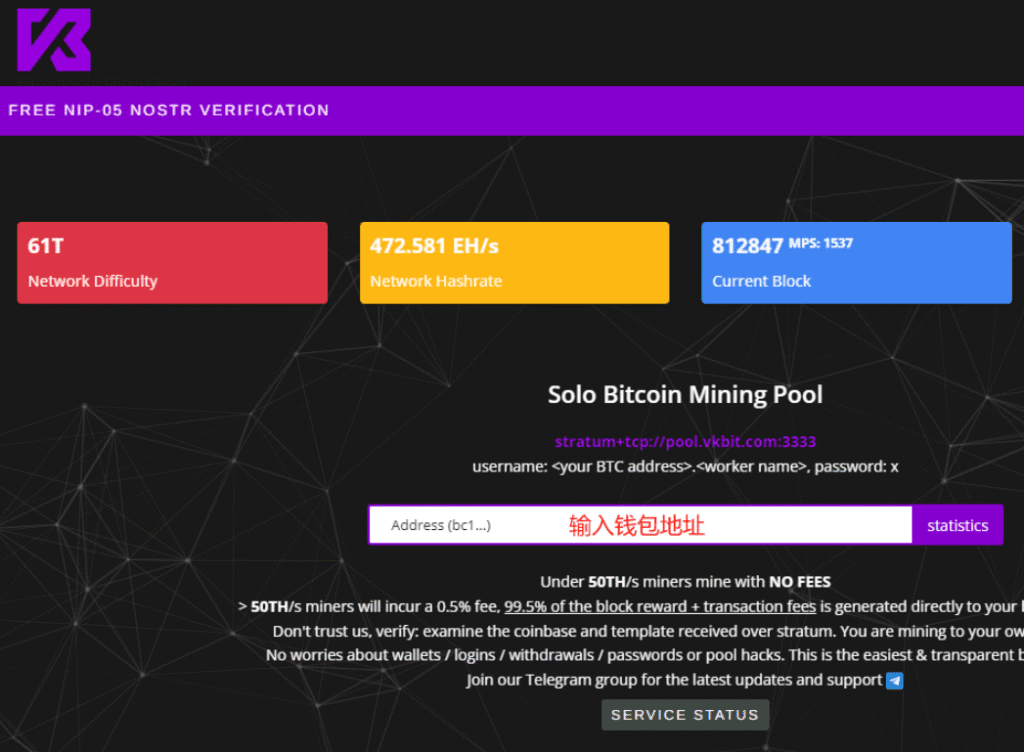
3.1 Verify Your Worker on the Pool
Go to: https://www.vkbit.com/
Enter your BTC address.
You should observe:
- Local Hashrate ≈ 250 KH/s
- Pool Displayed Hashrate: 100–300 KH/s (normal variance)
Why Pool Hashrate ≠ Local Hashrate
Variance is expected:
- Network latency inflates or deflates share frequency.
- Pool difficulty target differs from ASIC’s internal hash rate.
- Luck variance — Share discovery is probabilistic.
The only reliable indicator:
Look for continuous “Share Accepted” entries.
Troubleshooting & Optimization
4.1 Common Errors & Fixes
❌ Low Difficulty Rejected
Cause: Share difficulty below pool requirements.
Fix:
- Reboot LV02
- Use a pool supporting low-difficulty SOLO shares (VKBit does)
❌ High Temperature
Cause: Blocked air path / poor USB power.
Fix:
- Ensure airflow (≥3 cm)
- Use a stable 5V-1A USB power source
- Avoid ambient temps >35°C
❌ No Stratum Response
Cause: WiFi instability or DNS hijacking.
Fix:
- Change router DNS to 8.8.8.8 or 1.1.1.1
- Try smartphone hotspot
4.2 24/7 Stability Recommendations
- Use USB ports that do not enter sleep mode.
- Maintain device temperature at 20–30°C.
- Create a dedicated 2.4 GHz SSID if the router is congested.
- Reboot your router every 2–4 weeks.
- For extended uptime, pair LV02 with a small external fan.
Conclusion & Next Steps
LV02 is arguably the most transparent, lowest-cost, and most verifiable way to learn real Bitcoin mining in 2025. It gives you:
- Direct, local SHA256 computation
- Full observability (WiFi → Stratum → Pool → Explorer)
- Stable 5W continuous power draw
- Safe SOLO experimentation
- A clear upgrade path to industrial hardware such as DigLucky D91 (9.6TH/s)
Once your LV02 shows continuous Share Accepted messages, you’ve successfully completed the essential on-chain mining education path.
Ready to Start Your Project?
Get a factory-direct quote for your B2B project, or shop our B2C store for the best prices.