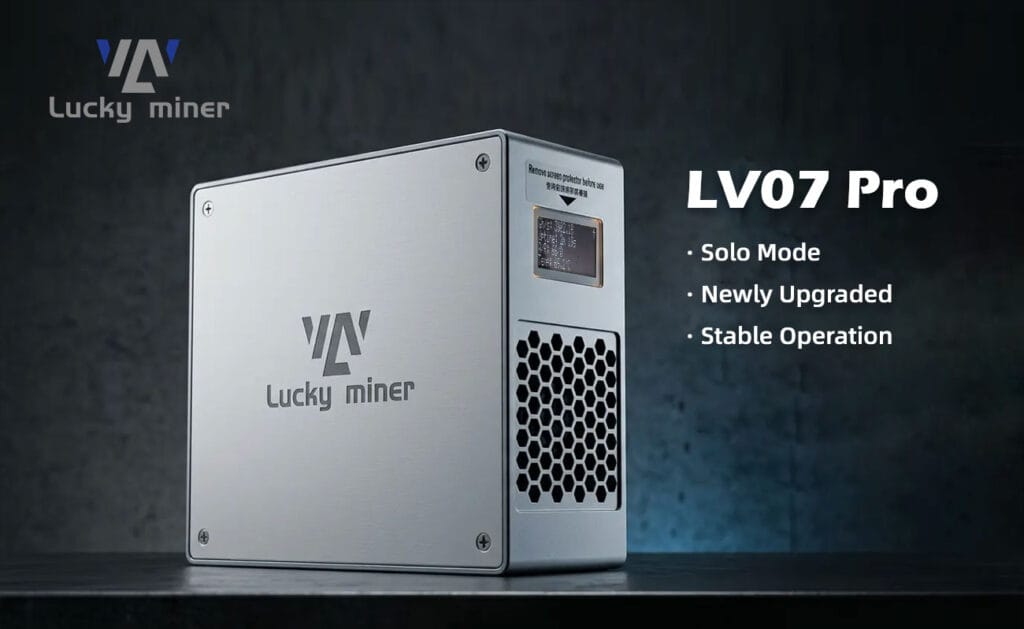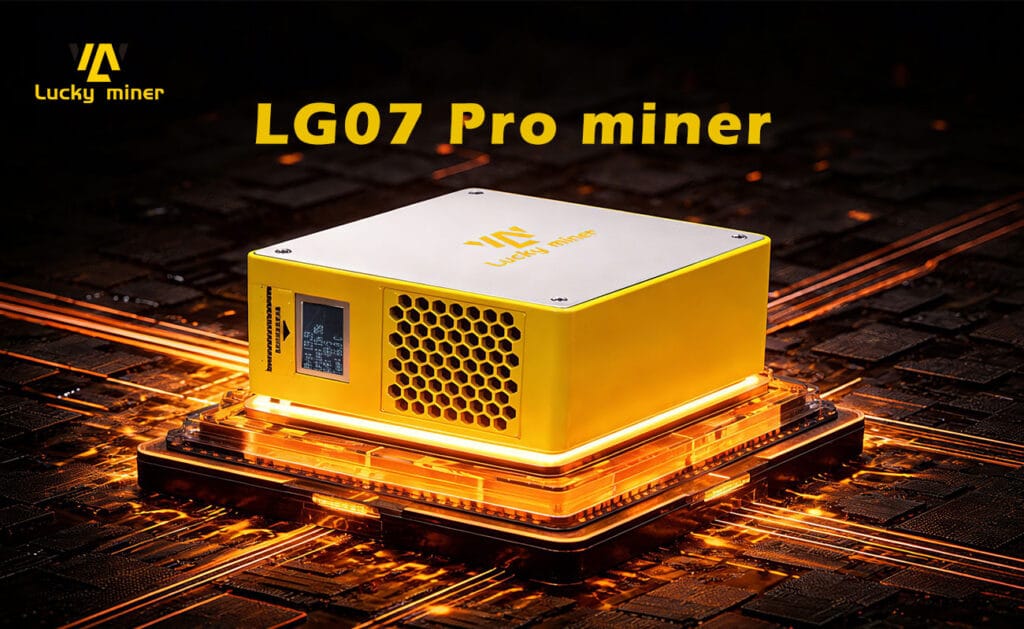
In 2026, configuring the Luckyminer LG07 Pro for Scrypt algorithmic mining (Dogecoin/Litecoin) requires initializing its 2.4G Wi-Fi control module and programming your chosen Stratum pool parameters. Delivering 120 MH/s at an ultra-low 30W power draw, this desktop ASIC achieves operational hashing within 300 seconds under standard 25°C thermal thresholds.
Engineering the 2026 Luckyminer LG07 Pro: 120 MH/s Scrypt Architecture
The Luckyminer LG07 Pro engineers industrial-grade Scrypt hashing into a compact 109x99x45mm aluminum alloy chassis. Extracting 120 MH/s from a mere 30W envelope requires a highly optimized step-down Voltage Regulation Module (VRM) to feed the ASIC core with absolute precision. The integrated ESP-based microcontroller manages Wi-Fi telemetry and localized thermal limits natively, completely bypassing the need for a host PC.
The DigLucky Factory Standard vs. DIY Assemblers
At our DigLucky Shenzhen facility, every LG07 Pro endures a strict 48-hour thermal chamber burn-in test to guarantee silicon reliability under constant 24/7 loads. Our automated Surface-Mount Technology (SMT) lines ensure flawless solder joints and industrial-grade thermal pad application.
Generic DIY clones currently flooding the secondary market frequently utilize cheap thermal grease and skip PCB conformal coating. This negligence causes rapid component degradation, localized hot spots, and fatal short circuits. Sourcing your hardware directly from the DigLucky OEM factory guarantees hardware longevity and maximum uptime.
Hardware Specifications & Operational Data Truth

| Technical Parameter | Luckyminer LG07 Pro Factory Specification |
| Cryptographic Algorithm | Scrypt (Dogecoin / Litecoin Merge Mining) |
| Typical Hashrate | 120 MH/s ±10% |
| Power Consumption | 30W ±10% (Measured at 25°C Ambient) |
| Networking Interface | Wi-Fi 2.4G / Wireless Hotspot |
| Acoustic Profile | 40 dBA (PWM Smart Fan) |
| Adapted DC Power Requirement | 12V DC / 60W Capacity |
| Operating Temperature Limit | 0°C to 30°C (32°F to 86°F) |
Standard Operating Procedure: 5-Minute Network & Pool Configuration
- Hardware Initialization: Insert the 12V DC output from the 60W Power Adapter into the miner’s DC Input Port. The power adapter LED will illuminate green, the PWM Cooling Fan will engage, and the integrated screen will prompt you to connect to the **Lucky_ **** ** network.Engineering Why: Pre-regulating the 12V power input prevents transient voltage spikes, protecting the sensitive Scrypt ASIC core logic during the critical initial boot sequence.
- Network Handshake: Using a mobile device or workstation, scan your local wireless networks and connect to the miner’s broadcasted SSID, formatted as **Lucky_ **** **.Engineering Why: The embedded control IC defaults to Access Point (AP) mode, allowing a direct, zero-latency configuration tunnel without requiring a pre-existing router connection.
- Accessing the Control Dashboard: Open a standard web browser. The system will automatically redirect to the AxeOS captive portal within 5 to 10 seconds.Engineering Why: This portal interacts directly with the firmware’s NVRAM, allowing you to inject configuration strings directly into the miner’s non-volatile memory.
- Stratum & Wi-Fi Configuration: Input your local WiFi SSID and WiFi Password (must be 2.4G; special characters are prohibited). Enter your Stratum URL, Stratum Port, and Stratum User (your Scrypt mainnet wallet address). Leave Frequency and Core Voltage at factory defaults unless actively tuning.Engineering Why: Precise Stratum parameters are mandatory for the miner to negotiate network difficulty metrics with the pool and securely transmit calculated nonces.
- Commit and Reboot: Click the Save button, followed by the Restart button. The LG07 Pro will drop its local AP broadcast, authenticate with your local router, and initiate hashing.Engineering Why: A hard software reboot forces the microcontroller into Station (STA) mode, establishing the primary TCP/IP handshake with the designated mining pool.
Pro-Level Troubleshooting Diagnostics
Q: The miner is powered on, the fan spins, but the screen is blank and no SSID is broadcast.
A: The control IC failed to load the bootloader sequence. Press the physical Reset Button 1 to 3 times to initiate a hard power cycle. This forces the microcontroller to dump its cache and pull the AxeOS firmware from ROM.
Q: The device connects to Wi-Fi, power draw is normal (~30W), but the hash value remains 0.
A: This indicates a complete failure to communicate with the Stratum pool. Verify your Stratum URL and ensure the Stratum Port matches your pool’s specific difficulty rating. Check that your Stratum User is a valid LTC/DOGE address, not a SHA-256 (Bitcoin) address.
Q: The miner continuously restarts and hashrate output is highly unstable.
A: This is caused by Wi-Fi packet collision or active thermal throttling. Move the device closer to your 2.4G router to ensure signal integrity. Verify the ambient room temperature is strictly below 30°C to prevent the localized thermal sensors from triggering an automatic safety shutdown.
Direct from DigLucky: B2B Wholesale & OEM Customization
As the premier Shenzhen source manufacturer, DigLucky supplies the Luckyminer LG07 Pro directly to B2B distributors worldwide. We completely bypass retail markups, offering Full Carton volume pricing, secure T/T wire transfer protocols, and comprehensive OEM/ODM modifications for enterprise clients.
Whether you require a custom firmware UI overhaul, bespoke heatsink mass upgrades, or white-labeled outer casings, our engineering team executes it. Contact our Global R&D and Operations HQ today to secure your wholesale hardware allocation.
Ready to Start Your Project?
Get a factory-direct quote for your B2B project, or shop our B2C store for the best prices.