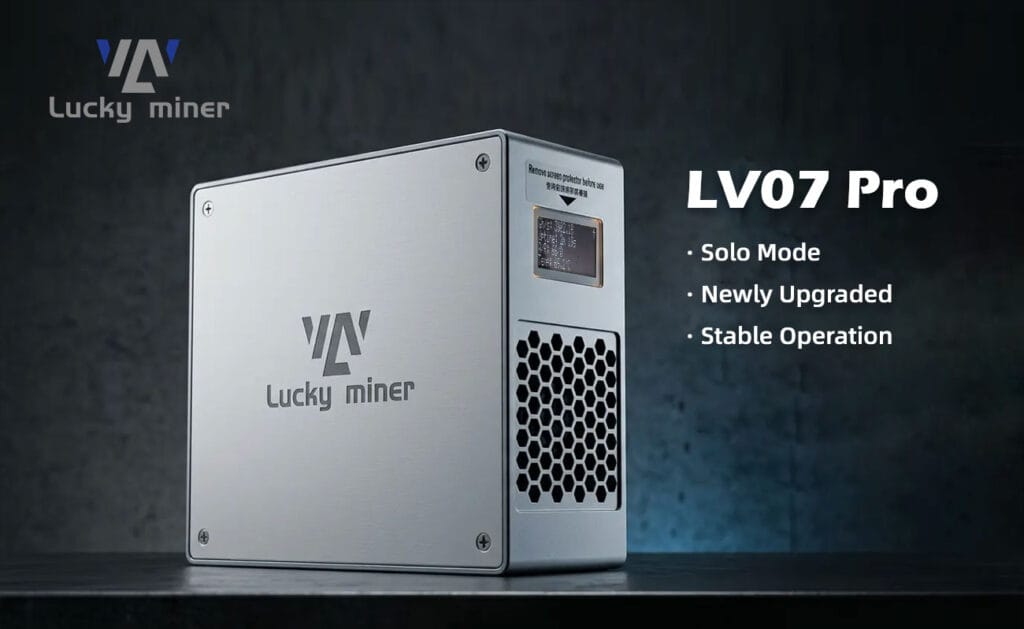
In 2026, configuring the Luckyminer LV07 Pro for residential Bitcoin mining requires initiating its 2.4G Wi-Fi module, connecting to the local access point, and configuring your Stratum pool credentials. Delivering 3.0 TH/s at a 50W power draw via high-density SHA-256 ASIC chips, this desktop unit achieves operational hashing within 300 seconds under standard 25°C thermal limits.
Engineering the 2026 Luckyminer LV07 Pro: 3.0 TH/s Desktop Architecture
The Luckyminer LV07 Pro represents a significant architectural leap in desktop-class mining. Housed in a compact 109x99x45mm aluminum alloy chassis, the device pushes 3.0 TH/s at a highly efficient 50W power envelope. Achieving this power-to-hashrate ratio requires precise power delivery and aggressive heat dissipation. The internal PCBA utilizes a multi-stage voltage regulation module (VRM) to step down the 12V DC input to the precise core voltages required by the ASIC silicon.
Unlike entry-level hobbyist boards, the LV07 Pro is engineered for continuous 24/7 load. The control plane relies on a robust ESP32-based microcontroller to handle Wi-Fi telemetry, stratum protocol negotiations, and localized thermal monitoring without requiring a host PC.

The DigLucky Factory Standard vs. DIY Assemblers
At our Shenzhen-based manufacturing facility, DigLucky treats the LV07 Pro with the same industrial rigor as rack-mounted server hardware. Our automated Surface-Mount Technology (SMT) lines ensure perfect solder paste deposition on the high-density ASIC footprints. Every unit undergoes a strict 48-hour burn-in test inside our thermal chambers to identify and eliminate early-life silicon failures.
Generic clones and DIY assembler kits saturating the market often suffer from critical manufacturing flaws. Unauthorized third-party builders routinely substitute high-grade thermal pads with inferior thermal grease, leading to localized hot spots and catastrophic thermal runaway. They also frequently skip conformal coating on the PCB, leaving the delicate SMDs vulnerable to ambient humidity and short circuits. Partnering directly with the DigLucky factory guarantees hardware longevity and absolute stability.
Hardware Specifications & Operational Data Truth
| Technical Parameter | Luckyminer LV07 Pro Factory Specification |
| Cryptographic Algorithm | SHA-256 (Bitcoin) |
| Typical Hashrate | 3.0 TH/s ±10% |
| Power Consumption | 50W ±10% (Measured at 25°C Ambient) |
| Networking Interface | Wi-Fi 2.4G / Wireless Hotspot |
| Acoustic Profile | 38 dBA (PWM Smart Fan at Nominal RPM) |
| Power Supply Input | 100~240V AC |
| Adapted DC Output Requirement | 12V DC / 60W Minimum Capacity |
| Operating Temperature Range | 0°C to 30°C (32°F to 86°F) |
Standard Operating Procedure: 5-Minute Network & Pool Configuration
- Hardware Initialization: Connect the 60W Power Adapter to an active AC wall outlet, then insert the DC barrel jack into the miner’s DC Input Port. The internal control IC will boot immediately, illuminating the green adapter LED and engaging the PWM Cooling Fan.Engineering Why: Supplying steady, pre-regulated 12V power prevents transient voltage spikes from damaging the sensitive ASIC core logic during the initial boot sequence.
- Network Handshake: Use a mobile device or workstation to scan your local wireless networks. Locate and connect to the miner’s broadcasted SSID, typically formatted as Lucky_XXXX or Luckyminer AP.Engineering Why: The embedded microcontroller operates in Access Point (AP) mode upon first boot, allowing direct localized communication without relying on pre-existing router infrastructure.
- Accessing the Control Dashboard: Open a standard web browser and navigate to the default gateway IP address (commonly 192.168.4.1). Wait 5-10 seconds for the browser to automatically redirect to the primary configuration interface.Engineering Why: This captive portal reads directly from the device’s firmware, providing a raw, zero-latency interface to push configuration strings directly to the NVRAM.
- Stratum & Wi-Fi Configuration: In the configuration panel, enter your local Wi-Fi SSID and Wi-Fi Password. Below that, input your Stratum URL, Stratum Port, and Stratum User (your Bitcoin mainnet wallet address starting with 1, 3, or bc1).Engineering Why: The miner requires precise Stratum credentials to negotiate difficulty parameters with the pool, receive valid block templates, and securely transmit calculated nonces.
- Commit and Reboot: Click the Save button to write the data to memory, followed by the Restart button. The device will terminate its local AP broadcast, authenticate with your home router, and begin actively hashing.Engineering Why: A hard reboot forces the microcontroller to re-initialize the network stack in Station (STA) mode, establishing the primary TCP connection to the mining pool.
Pro-Level Troubleshooting Diagnostics
Q: The miner is powered on, the fan works, but the screen does not light up and it fails to broadcast an SSID.
A: The primary control IC has failed to execute its bootloader. Press the physical Reset Button on the PCB 1 to 3 times to initiate a hard power cycle. This clears the volatile memory registers and forces the ESP controller to reload the AxeOS firmware from ROM.
Q: The power adapter LED indicator does not light up or is continuously flashing.
A: The adapter is failing to deliver a stable 12V DC output due to internal capacitor degradation or a primary-side fault. Test the DC output with a digital multimeter. If the voltage fluctuates beyond 12V ±3%, discard and replace the adapter immediately to prevent hardware damage.
Q: System power consumption is normal (around 50W), but the reported hash value on the dashboard is 0.
A: This indicates a stratum connection failure or difficulty mismatch. Verify your Stratum URL and ensure the Stratum Port aligns with your pool’s specific difficulty rating (target difficulty <1000). Inspect system logs for DNS resolution timeouts or incorrect mainnet wallet address syntax.
Q: The miner experiences continuous random reboots and the hashrate is highly unstable.
A: This is symptomatic of either Wi-Fi packet collision or thermal protection intervention. Check your local 2.4G wireless channel saturation and migrate to a less congested channel. Monitor the ambient room temperature; if it exceeds 30°C, the thermal sensors will trigger automatic shutdown protocols to protect the silicon.
Lucky miner LV07 Pro Product Usage Video
B2B Wholesale & OEM Partnership Matrix
DigLucky operates as the direct factory source for the Luckyminer LV07 Pro. We bypass retail margins to offer global distributors uncompromised hardware at competitive volume tiers. Our manufacturing center supports Full Carton bulk shipments and fully bespoke OEM/ODM hardware modifications, including custom I/O configurations, upgraded heatsink mass, and white-labeled firmware UI redesigns.
For wholesale clients seeking consistent supply chains and predictable hardware yields, we mandate secure T/T wire transfers. Contact our Beijing R&D and Operations HQ directly to secure your B2B pricing matrix and bypass the retail secondary market.
Ready to Start Your Project?
Get a factory-direct quote for your B2B project, or shop our B2C store for the best prices.