Product Overview
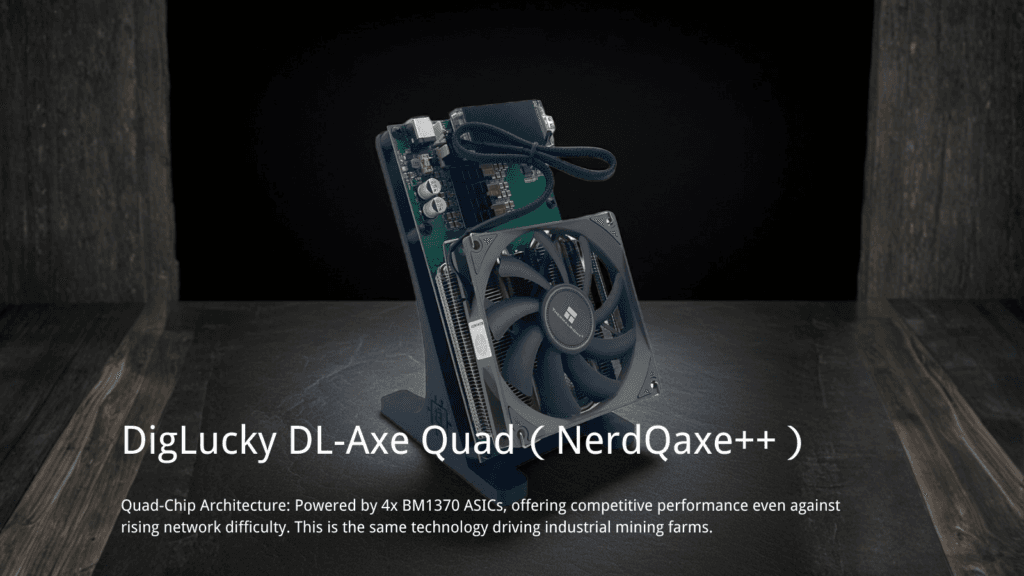
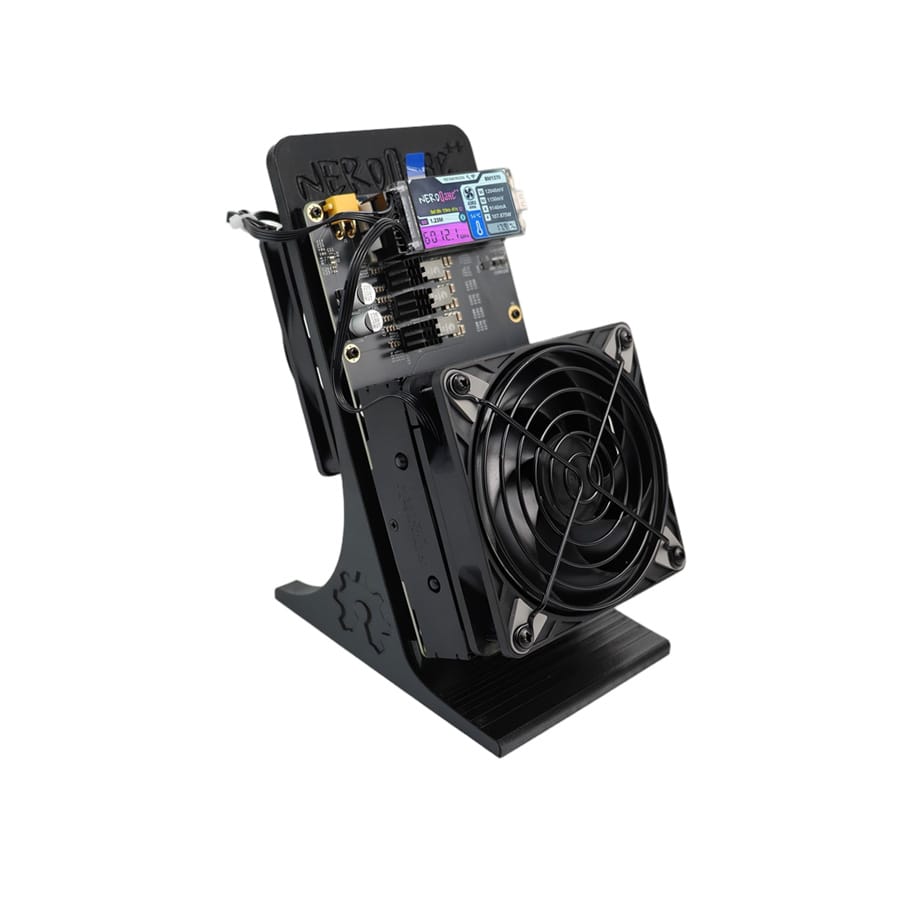
The NerdQAxe++ 6T is a high-performance desktop SHA-256 ASIC miner capable of delivering 6 TH/s (±5%) hashrate. Engineered for enthusiasts and home mining environments, it utilizes a 12V power architecture via an XT30 interface to support its 100W power envelope. Featuring an advanced active air-cooling system with a dedicated PWM smart fan and heat-pipe heatsink, it ensures stable 24/7 operation for Bitcoin mining.
Technical Specifications
The following parameters are the official factory specifications for the V1.0 production delivery version.
| Parameter | Specification | Technical Notes |
| Model | NerdQAxe++ 6T | Desktop-class ASIC Miner |
| Algorithm | SHA-256 | Bitcoin (BTC), Bitcoin Cash (BCH) |
| Hashrate | 6 TH/s ± 5% | |
| Power Consumption | 100W ± 10% | Varies by load/temp |
| Power Efficiency | ~16.6 J/TH | Calculated based on 100W / 6T |
| Input Voltage | 12V | CRITICAL: High Current Interface |
| Power Connector | XT30 | Requires secure connection |
| Cooling | Active Air (Heat Pipe + PWM) | Auto-adjusting RPM |
| Network | WiFi 2.4 GHz | 5G not supported |
| Noise Level | < 40 dB (Typical) | |
| Operating Temp | 0°C – 35°C |
Tech Note: The device features a specialized Power Chip Heatsink (Source 5.3). This independent cooling structure is critical for reducing the temperature of the power management chips (PMIC) to handle the 100W load, ensuring long-term operational stability.
Hardware Setup & Safety
Follow this strict sequence to initialize the device safely.
- Inspection: Unpack the miner and the included 120W Switching Power Supply.
- Placement: Position the device on a stable, well-ventilated surface. Ensure the air intake and exhaust vents are not blocked.
- Connection: Securely connect the XT30 power connector from the PSU to the miner.
- Power On: Connect the PSU to AC power to start the device.
⚠️ WARNING: XT30 SAFETY PROTOCOL * Hot-Plugging Forbidden: Do not plug or unplug the XT30 connector while the device is powered on. This can cause arcing and damage the connector. * Voltage Check: This device uses 12V Input. Do not mistake it for 5V USB devices. * Connector Fit: Ensure the XT30 connection is tight and secure to prevent resistance heating.
Network & Pool Configuration
The NerdQAxe++ 6T uses a WiFi-only architecture for a clean desktop setup.
1. WiFi Provisioning
After powering on, the device broadcasts a configuration hotspot.
- Search for the SSID
Nerdaxe_XXXX(e.g., Nerdaxe_74D9) on your mobile or PC. - Connect to this network. You should be redirected to the web management interface.
- Navigate to Settings > WiFi Settings.
- Select your home WiFi SSID (Must be 2.4GHz, 5G is not supported) and enter the password.
- Save and reboot. The miner will connect to your router.
2. Mining Configuration
In the dashboard (referencing the AxeOS/NerdaX interface style), configure your pool:
- Mining Modes Supported: SOLO, PPLNS, PPS.
- Target Hashrate: Monitor the dashboard for a hashrate around 6,036.20 Gh/s (6 TH/s).
Troubleshooting & FAQ
Official answers to common technical queries.
Q: The fan noise is loud immediately after startup. Is this a fault?
A: No. During startup or high load, the PWM fan may increase speed to enhance cooling. Once the thermal loop stabilizes, the fan automatically adjusts based on chip temperature to balance noise and performance.
Q: Can I run this miner in a closed cabinet?
A: No. Enclosed spaces restrict airflow, leading to overheating, thermal throttling, or protective shutdown. Always maintain proper ventilation.
Q: Why does the power consumption vary? A: While rated at 100W, power consumption varies depending on the computational load, ambient temperature, and operating conditions. Values within 100W ± 10% are normal.
Q: Will it restart after a power outage? A: Yes. If the network and mining configurations are saved, the device will automatically resume operation once power is restored.
Q: What should I do if the hashrate drops over time? A: Regularly check for dust buildup at the air intake and exhaust vents. Accumulated dust insulates the heatsinks and reduces cooling efficiency.
Why Buy Factory Direct?
DigLucky is the source factory for the NerdQAxe++ series. By purchasing directly, you ensure:
- Authentic Hardware: Guaranteed original components and performance.
- B2B/OEM Support: Access to bulk ordering and custom hardware solutions for mining farms.
- Direct Warranty: Professional support without middleman delays.
Download the NerdQAxe++ 6T User Manual & Setup Guide – DigLucky
Ready to Start Your Project?
Get a factory-direct quote for your B2B project, or shop our B2C store for the best prices.